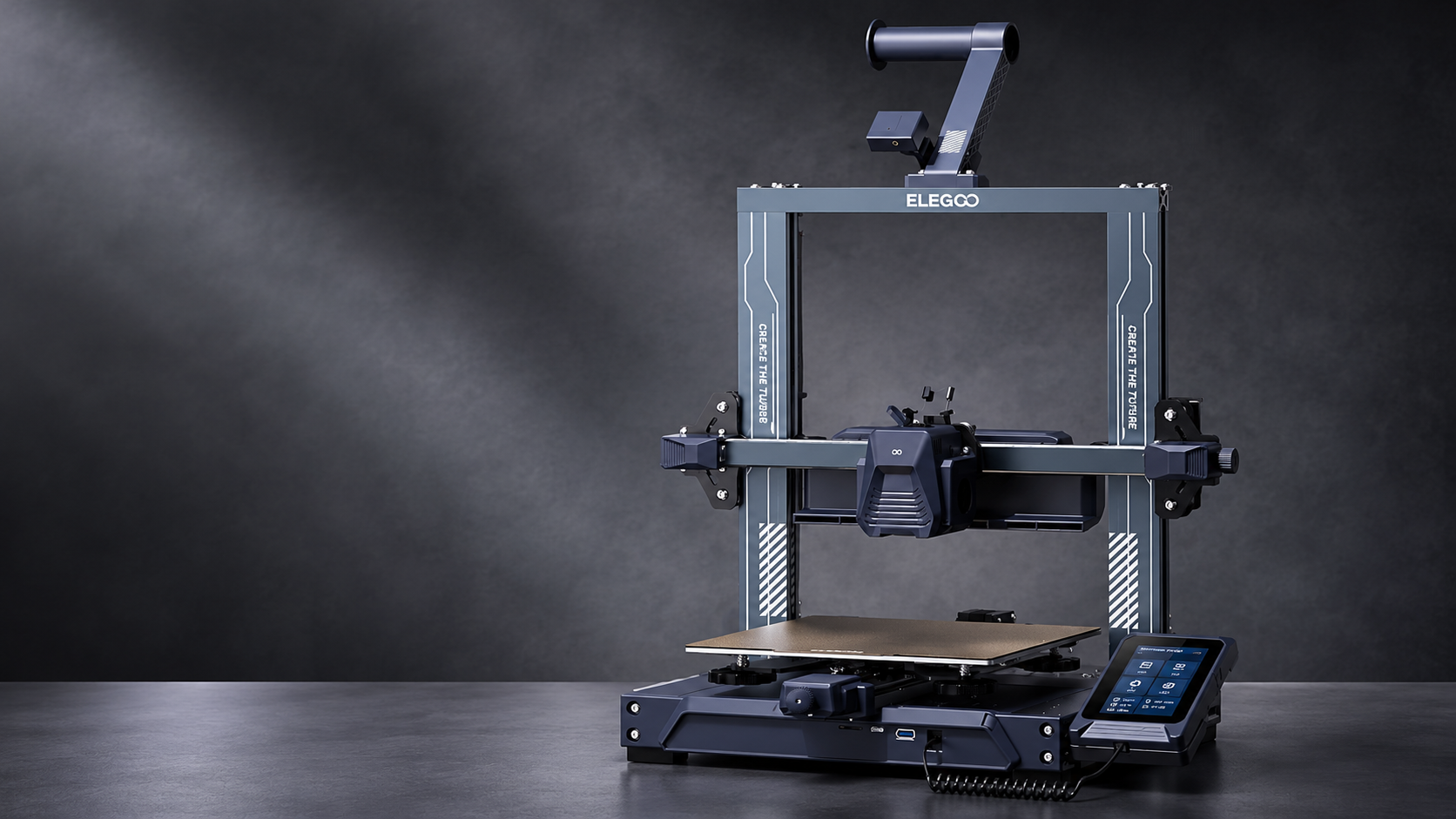
Research-based review. Product details and customer feedback reflect the source listing reviewed for this article; prices and stock may change. As an Amazon Associate, we earn from qualifying purchases. Disclosure.
The Elegoo Neptune 4 Pro is worth considering if you want a fast 3D printer with advanced features for hobby projects, prototypes, and functional parts. Its 500mm/s maximum printing speed, 300°C nozzle, Klipper firmware, and intelligent segmented heatbed make it an interesting option. However, its current Amazon India listing is unavailable and has no customer reviews, making reliability and local after-sales support difficult to judge.
This Elegoo Neptune 4 Pro review examines the manufacturer’s specifications and the available Amazon customer feedback. It explains the printer’s capabilities, practical limitations, setup requirements, and what Indian buyers should check before purchasing.
Table of Contents
- Quick Verdict
- Pros and Cons
- Key Specifications
- What’s in the Box
- Is the Elegoo Neptune 4 Pro Good for Beginners?
- Printing Speed and Quality
- 300°C Nozzle and Filament Compatibility
- Intelligent Segmented Heatbed
- Klipper Firmware and Everyday Use
- Build Volume and Practical Projects
- Reliability, Warranty and Customer Support
- Price and Value for Money
- Elegoo Neptune 4 Pro FAQs
- Final Verdict
Quick Verdict
| Overall Rating | 7/10 — provisional, based on specifications |
| Amazon Customer Reviews | 0 reviews on this listing |
| Best for | Experienced hobbyists, DIY makers, users interested in high-speed printing |
| Not ideal for | Buyers wanting proven Indian customer feedback or simple, maintenance-free operation |
| Biggest strength | High-speed printing with a 300°C nozzle and intelligent segmented heatbed |
| Main concern | Unverified real-world performance and unclear local service experience |
| Availability | Currently unavailable |
| Price | Not listed at the time of writing |
Summary: The Neptune 4 Pro offers a capable hardware package for users who want more flexibility than a basic beginner printer. However, its advanced specifications should not be confused with proven reliability. The lack of customer reviews for this listing makes warranty arrangements and seller support especially important.
Pros and Cons
| Pros | Cons |
|---|---|
| Maximum advertised speed of 500mm/s | No customer reviews to confirm actual printing performance |
| Recommended printing speed of 250mm/s | Maximum speed is not suitable for every model |
| 300°C high-temperature nozzle | Advanced materials may require additional printing conditions |
| Intelligent segmented heatbed | Real-world energy savings are not established |
| Pre-installed Klipper firmware | Advanced configuration may involve a learning curve |
| 225 × 225 × 265mm build volume | Larger objects must be divided into sections |
| ARM 64-bit quad-core processor | Processor specifications alone do not establish print quality |
| Useful accessories included in the package | Six-month warranty and limited India-specific ownership evidence |
| Compatible-device listing includes laptop, PC and smartphone | Exact smartphone-control features are not clearly explained |
Key Specifications
| Feature | Details |
|---|---|
| Model | Elegoo Neptune 4 Pro |
| Printing technology | FDM |
| Maximum printing speed | 500mm/s |
| Recommended printing speed | 250mm/s |
| Maximum nozzle temperature | 300°C |
| Heatbed | Intelligent segmented heating |
| Firmware | Pre-installed Klipper |
| Processor | ARM 64-bit, quad-core, 1.5GHz |
| Build volume | 225 × 225 × 265mm |
| Compatible devices listed | Laptop, personal computer, smartphone |
| Input voltage | 220V |
| Warranty | 6 months |
| Price | Not available at the time of writing (prices change) |
What’s in the Box?
The Amazon listing identifies the following included components:
- Neptune 4 3D printer
- USB flash drive
- User manual
- Adapter
- Fasteners set
- Tool kit
- Scraper
- Filament tube
- Filament holder
- Filament detector switch
There is one important listing detail to check.
Although the product title and model number identify the Neptune 4 Pro, the included-components field refers to a “Neptune 4 3D Printer.”
That may be abbreviated wording, but the distinction matters because the standard Neptune 4 and Neptune 4 Pro are different models.
Before purchasing, confirm that the seller will supply the Neptune 4 Pro and that the package includes the accessories advertised for that model.
Is the Elegoo Neptune 4 Pro Good for Beginners?
The Elegoo Neptune 4 Pro has features that can simplify parts of the printing process. However, it appears better suited to beginners interested in learning technical settings than to buyers expecting a completely automatic experience.
Its pre-installed Klipper firmware is particularly relevant.
Does Klipper make the printer easier to use?
Klipper is firmware that helps control the printer’s movement and printing operations.
The Neptune 4 Pro includes an ARM 64-bit quad-core processor running at 1.5GHz.
The manufacturer advertises this combination as providing sufficient processing capability for high-speed printing.
For beginners, the practical benefit is that the machine comes with Klipper already installed.
However, having advanced firmware does not automatically mean every printing task becomes easier.
Users may still need to understand slicing software, filament temperatures, first-layer settings, and calibration.
The listing does not include customer feedback showing how easily first-time buyers adapt to its software.
Is assembly difficult?
The product information includes an accessory kit, fasteners, and a user manual.
However, the available listing does not provide a verified average assembly time.
A buyer should expect some initial setup rather than assuming the machine is ready to print immediately after unpacking.
This typically involves preparing the frame and accessories, connecting the appropriate components, loading filament, and following the manufacturer’s calibration instructions.
For someone familiar with basic DIY assembly, that may be manageable.
For a complete beginner, the quality of the instructions and availability of technical guidance may influence the experience.
Who will find it easier to learn?
The Neptune 4 Pro is more attractive to buyers who want to develop their 3D printing skills.
Its high-speed hardware and Klipper-based controls provide room to experiment with different printing settings.
Someone interested mainly in printing occasional decorative objects without much adjustment may find a simpler printer more appealing.
The Neptune 4 Pro is therefore a reasonable candidate for a technically curious beginner, but its ease of use is not confirmed by customer reviews from this exact listing.
Printing Speed and Quality
Printing speed is one of the Neptune 4 Pro’s biggest advertised advantages.
The manufacturer specifies a maximum printing speed of 500mm/s and recommends 250mm/s.
These numbers are useful, but they should not be interpreted as guaranteed printing performance for every object.
What does 500mm/s mean?
The maximum speed describes how fast the printer is designed to move while printing under suitable conditions.
However, a 3D printer rarely operates at its maximum speed throughout an entire project.
The print head needs to slow down when producing small details, sharp corners, and complicated shapes.
The selected layer height, material, and slicing settings also affect the final printing time.
| Speed setting | Practical meaning |
|---|---|
| 250mm/s recommended | Manufacturer’s recommended operating speed |
| 500mm/s maximum | Highest advertised printing speed |
A useful way to understand this is to compare two projects.
A simple rectangular storage container may allow longer, faster movements.
A detailed decorative figurine may require frequent changes in direction and slower printing around smaller features.
Both projects use the same printer, but the total time and appropriate settings may differ significantly.
Does faster printing mean better productivity?
Higher printing speeds can reduce the time required for some projects.
This could be useful if you frequently produce prototypes, decorative models, or other repeated designs.
However, printing speed is only valuable when the finished object meets the required quality standard.
If a project fails because the selected speed is unsuitable, the time spent restarting and reprinting can eliminate the original benefit.
For beginners, the recommended 250mm/s figure provides a more sensible reference than immediately selecting the maximum.
What about printing accuracy?
The Neptune 4 Pro’s product information focuses heavily on speed.
However, the supplied listing does not establish measured dimensional accuracy through independent testing.
It also contains no customer reviews describing how accurately the printer produces small mechanical features.
This creates an important distinction between advertised speed capability and verified printing quality.
The hardware specifications are promising, but they do not establish that every object will print with consistently accurate dimensions.
For functional components requiring tight tolerances, calibration and measurement remain important.
Is the printer suitable for frequent projects?
The combination of high-speed printing, Klipper firmware, and a useful build volume makes the Neptune 4 Pro interesting for regular hobby projects.
However, actual productivity depends on more than printing speed.
Successful first layers, reliable filament feeding, consistent temperature control, and access to maintenance support all affect how much useful work a printer can complete.
These aspects have not been established through buyer reviews on this listing.
300°C Nozzle and Filament Compatibility
The 300°C high-temperature nozzle is another major feature of the Elegoo Neptune 4 Pro.
This is particularly relevant if you want to experiment with materials beyond basic PLA.
Why is a 300°C nozzle useful?
Different filaments require different temperatures to melt and flow correctly.
Some common materials can be printed at comparatively low temperatures, while certain specialty materials require more heat.
The Neptune 4 Pro’s nozzle is rated to reach 300°C.
The Amazon listing specifically highlights this capability for specialty filaments such as nylon.
However, nozzle temperature alone does not establish that every nylon formulation will be easy to print.
Actual compatibility also depends on the material’s requirements, build surface, nozzle construction, and printing environment.
Does it support advanced filaments?
The seller highlights the 300°C nozzle as suitable for specialty materials, including nylon.
This suggests that the Neptune 4 Pro is intended to offer more material flexibility than a basic PLA-focused printer.
However, the supplied product information does not provide a complete, clearly verified list of every supported filament.
It also does not contain customer reports demonstrating successful prints across different specialty materials.
For buyers, that means the high-temperature capability is useful, but filament compatibility should be checked individually.
What about PLA and ordinary hobby projects?
For buyers primarily interested in decorative prints, basic prototypes, and everyday objects, a 300°C nozzle may offer more temperature capability than they regularly need.
That is not necessarily a disadvantage.
It provides room to experiment with additional materials later.
However, buyers who intend to use only common filaments should consider whether the printer’s advanced material capabilities justify the purchase price once it becomes available.
Intelligent Segmented Heatbed
The segmented heatbed is one of the Neptune 4 Pro’s more distinctive advertised features.
Instead of treating the entire printing surface as one heating area, the system is designed to activate heating zones according to the size of the model.
How does segmented heating work?
The Amazon listing describes an intelligent system that activates heating zones based on model size.
In practical terms, this means a smaller object may not require the entire printing bed to be heated in the same way as a larger object.
This approach is intended to make heating more efficient.
For example, a small decorative item occupies less bed space than a large organiser.
A segmented system can adapt the heated area to the project rather than always relying on one full-bed heating arrangement.
Does it reduce electricity consumption?
The design may reduce unnecessary heating for some projects.
However, the supplied specifications do not provide measured electricity consumption or verified energy savings.
The real benefit would depend on how the heating system operates, the model’s size, the selected temperature, and the length of the printing job.
It would therefore be misleading to claim a specific percentage reduction in electricity bills.
The segmented heatbed is an interesting efficiency feature, but its savings remain unquantified in the supplied evidence.
Does it improve bed adhesion?
Heating the printing bed helps provide suitable conditions for the first layer of filament.
However, the segmented design alone does not guarantee that every print will adhere correctly.
Bed cleanliness, printing temperature, nozzle height, and material selection still matter.
There are no customer reviews on this listing confirming whether the heatbed improves first-layer reliability in everyday use.
The strongest supported advantage is its advertised ability to adapt heating zones to the model’s size.
Klipper Firmware and Everyday Use
Klipper can be an advantage for users interested in high-speed printing and advanced configuration.
However, the daily ownership experience depends on how well the printer’s software and hardware work together.
Is the processor powerful enough?
The manufacturer lists an ARM 64-bit quad-core processor running at 1.5GHz.
This hardware is intended to provide processing capability for the printer’s Klipper-based operation.
For a buyer, the practical point is that the machine includes dedicated processing hardware rather than relying entirely on a basic control system.
However, processor speed is not a direct measurement of printed-object quality.
The final results still depend on calibration, extrusion, movement accuracy, and printing settings.
Can you use the printer with a computer?
The Amazon listing identifies compatibility with laptops and personal computers.
It also mentions smartphones.
However, the specific smartphone-control features are not clearly explained.
The listing does not establish which functions are supported from a phone or whether any additional software or network setup is required.
Buyers planning a smartphone-only workflow should confirm the exact capabilities before ordering.
Is it suitable for advanced users?
The Neptune 4 Pro’s Klipper firmware and high-speed hardware make it an interesting choice for users who want control over printing settings.
Advanced users may appreciate having more options for configuration and calibration.
However, the supplied evidence does not establish whether every advanced feature is easily accessible or how reliable the software is over extended use.
For buyers intending to modify firmware or experiment with custom settings, checking documentation and compatibility before purchase is sensible.
What about maintenance?
Like other filament-based printers, the Neptune 4 Pro will require routine care.
Its heated nozzle, printing bed, and moving components need to remain in appropriate condition.
The exact maintenance frequency cannot be established from this listing because there are no customer ownership reports.
It is therefore worth checking how easily replacement nozzles, printing surfaces, and other parts can be obtained in India.
This matters more if you plan to use the printer frequently.
Build Volume and Practical Projects
The Elegoo Neptune 4 Pro provides a build volume of 225 × 225 × 265mm.
That gives you a reasonable amount of space for small and medium-sized printing projects.
What can you print?
The available build volume is suitable for many common hobby applications.
Examples include decorative models, desk organisers, prototype housings, small workshop accessories, and educational projects.
The maximum size of a single printed object is limited by the printing area.
For larger objects, you may need to divide the design into sections and assemble them after printing.
Is it suitable for functional prototypes?
The build volume and high-temperature nozzle make the Neptune 4 Pro interesting for prototyping.
However, successful functional printing requires appropriate materials and dimensional accuracy.
The listing does not contain customer feedback showing how consistently it produces closely fitting mechanical components.
Therefore, the printer appears capable on paper, but performance for precision-dependent projects should not be assumed without calibration and testing.
How much space does it need?
The Amazon technical information lists package dimensions of 70.9 × 60.5 × 24.4cm and a listed weight of approximately 8.9kg.
These measurements describe the package, not necessarily the fully assembled printer.
You should not use them as the machine’s operating footprint.
The printer will also need clearance for the printing bed, filament holder, and cables.
A stable table with sufficient space around the machine is preferable to a narrow or crowded shelf.
Reliability, Warranty and Customer Support
Reliability is one of the biggest unanswered questions for this particular Elegoo Neptune 4 Pro listing.
The Amazon customer-review page shows zero reviews.
That means there is no direct customer evidence in the supplied listing about long-term printing consistency, hardware failures, delivery condition, or after-sales service.
Does the lack of reviews mean the printer is unreliable?
No.
An absence of reviews does not establish poor quality.
It simply means the listing does not provide independent customer experiences that would help buyers judge reliability.
The Neptune 4 Pro’s specifications are attractive, but specifications cannot establish how consistently the machine will perform after several months.
For someone purchasing a printer for occasional hobby use, this uncertainty may be manageable.
For someone relying on the machine for paid production, it matters considerably more.
What does the six-month warranty cover?
The Amazon listing advertises a six-month warranty.
However, the supplied information does not clearly explain which components are covered or whether replacement-part shipping and labour are included.
Before purchasing, confirm the warranty conditions.
This is especially important for components such as the hot end, control electronics, motors, and heating system.
The product is listed through Protomont Technologies, so buyers should also clarify who handles warranty claims in India.
Is local support available?
The listing identifies Protomont Technologies as the importer and packer.
However, it does not provide detailed customer experiences with service centres or completed warranty repairs.
The presence of an importer does not automatically establish the availability of convenient local repair services.
For Indian buyers, it is sensible to confirm whether replacement parts are stocked locally and where the printer would need to be sent for servicing.
What should you check after delivery?
Inspect the printer and its included accessories before beginning regular use.
Confirm that the exact Neptune 4 Pro model has been supplied.
Check for visible shipping damage and make sure all components required by the official assembly instructions are present.
If something is missing or damaged, use the seller’s applicable return or replacement process before modifying the machine.
Price and Value for Money
The Elegoo Neptune 4 Pro is currently unavailable on the supplied Amazon India listing.
No current selling price is displayed for this exact ASIN.
That makes it difficult to assess whether the printer offers better value than other available high-speed models.
However, the specifications provide useful points for comparison.
What features justify considering it?
The Neptune 4 Pro combines several capabilities that may matter to hobbyists and experienced users.
Its 500mm/s advertised maximum printing speed, 300°C nozzle, intelligent segmented heatbed, and pre-installed Klipper firmware create an interesting package.
The strongest reason to consider it is the combination of speed and material flexibility.
The segmented heatbed also adds a potentially useful efficiency feature.
However, none of these specifications establishes real-world reliability.
For that reason, the selling price and available support should carry significant weight in the purchasing decision.
What about cheaper alternatives?
The supplied Amazon page shows the Bambu Lab A1 Mini as an available suggested product at ₹19,599.
This is a separate printer with different specifications and a different build volume.
The price does not establish whether it is better than the Neptune 4 Pro.
However, it provides a useful starting point for comparing the cost of beginner-friendly printers available in India.
If the Neptune 4 Pro returns at a substantially higher price, buyers should compare the value of its additional capabilities against the features and support offered by alternatives.
Should you compare the standard Neptune 4?
The standard Elegoo Neptune 4 is another model worth comparing.
However, its features should not be confused with those of the Neptune 4 Pro.
The Pro listing specifically highlights the intelligent segmented heatbed and 300°C nozzle.
If these features are important to your projects, compare the exact specifications and prices before choosing between versions.
What about ongoing expenses?
Filament, electricity, and replacement parts are normal ownership costs.
The supplied listing does not establish an operating wattage or a confirmed current filament price for this model.
Therefore, a reliable hourly electricity-cost estimate cannot be calculated from the available specifications.
For regular printing, compare the prices of compatible filament, replacement nozzles, and printing surfaces.
The availability of spare parts may be especially important if the machine is used frequently.
Should you wait for an Amazon sale?
Since the printer is currently unavailable, the immediate question is whether it returns to stock at a competitive price.
Major Amazon sale events may provide opportunities to compare available models.
However, a large advertised discount should not outweigh warranty coverage and service availability.
Check the latest price and seller details before making a purchase.
Elegoo Neptune 4 Pro FAQs
1. Is the Elegoo Neptune 4 Pro good for beginners?
It can be suitable for beginners interested in learning 3D printing settings. However, its Klipper firmware and advanced features may involve a learning curve, and this listing has no customer reviews confirming beginner-friendly operation.
2. Is the Elegoo Neptune 4 Pro worth buying in 2026?
It is worth considering for hobbyists who want fast printing, high-temperature capability, and a segmented heatbed. However, the printer is currently unavailable on this listing, and its value depends on the future selling price and support arrangements.
3. What is the maximum printing speed of the Neptune 4 Pro?
The manufacturer advertises a maximum printing speed of 500mm/s and recommends 250mm/s. Actual useful printing speed depends on the object, material, and settings.
4. Does the Elegoo Neptune 4 Pro use Klipper?
Yes. The Neptune 4 Pro comes with pre-installed Klipper firmware and a 1.5GHz quad-core processor. These are intended to support advanced control and high-speed operation.
5. What is the maximum nozzle temperature?
The Neptune 4 Pro has a 300°C high-temperature nozzle. The manufacturer highlights its suitability for specialty filaments such as nylon, although successful printing depends on the specific material and conditions.
6. What is the intelligent segmented heatbed?
It is a heating system designed to activate zones according to the size of the printed model. This may reduce unnecessary heating, but the supplied information does not establish measured electricity savings.
7. What is the printing size of the Elegoo Neptune 4 Pro?
The build volume is 225 × 225 × 265mm. Objects exceeding those dimensions may need to be divided into smaller sections.
8. Does the Elegoo Neptune 4 Pro support smartphone control?
The Amazon listing identifies smartphones among compatible devices. However, it does not clearly explain the available mobile-control functions or any additional setup requirements.
9. What is the warranty on the Neptune 4 Pro in India?
The listing advertises a six-month warranty. Buyers should confirm component coverage, service arrangements, and replacement-part availability with the seller.
10. Is the Elegoo Neptune 4 Pro currently available in India?
The supplied Amazon India listing is marked as currently unavailable, with no confirmed restocking date or selling price. Buyers should check the product page for updated availability.
Final Verdict: Should You Buy Elegoo Neptune 4 Pro?
The Elegoo Neptune 4 Pro has a promising combination of high-speed printing, a 300°C nozzle, Klipper firmware, and an intelligent segmented heatbed. These features make it particularly interesting for hobbyists who want to explore advanced printing settings and different materials.
However, the absence of customer reviews on this exact Amazon listing means that actual printing quality, long-term reliability, and Indian after-sales experiences remain unproven.
The six-month warranty and unavailable selling price also make comparison important.
The Neptune 4 Pro is worth considering when available at a competitive price from a seller offering clearly documented support.
Buy it if: You want a high-speed hobby printer with advanced features and are comfortable learning its settings.
Skip it if: You need proven reliability, very simple operation, or stronger evidence of convenient Indian service support.
Compare before you choose
For an entry-level alternative, read our Creality Ender-3 V3 SE review. If multi-colour projects are your priority, compare the FLASHFORGE AD5X.
Official resources
Check the official ELEGOO Neptune 4 Pro information and the ELEGOO Neptune support wiki. These resources help you check current documentation; regional bundles and warranty terms may differ.