Research-based review. Product details and customer feedback reflect the source listing reviewed for this article; prices and stock may change. As an Amazon Associate, we earn from qualifying purchases. Disclosure.
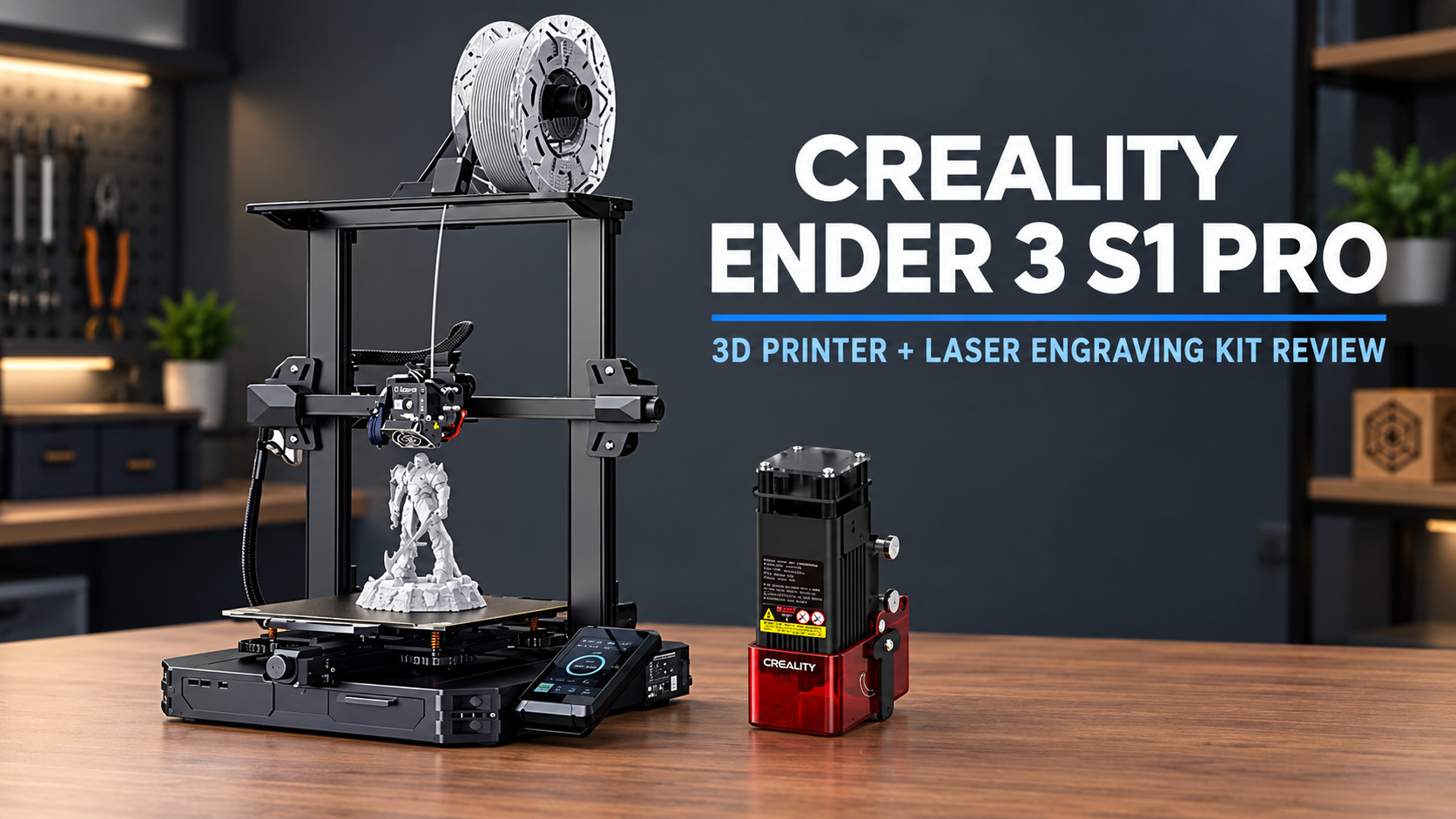
The Creality Ender 3 S1 Pro with Laser Engraving Kit is an interesting option for hobbyists who want both 3D printing and basic laser engraving in one setup. Its 300°C nozzle, automatic bed leveling, and support for multiple filaments make it versatile. However, the ₹35,563 price and a recent complaint about receiving a non-working printer without the laser kit make seller reliability a serious consideration.
This Creality Ender 3 S1 Pro review is based on official product specifications and an analysis of verified Amazon customer reviews. It covers printing performance, laser engraving capabilities, setup, limitations, and whether this bundle is worth its price.
Table of Contents
- Quick Verdict
- Pros and Cons
- Key Specifications
- Is the Creality Ender 3 S1 Pro Good for Beginners?
- 3D Printing Performance and Filament Support
- How Good Is the Laser Engraving Kit?
- Build Quality and Everyday Features
- Reliability and Delivery Concerns
- Price and Value for Money
- FAQs
- Final Verdict
Quick Verdict
| Overall Rating | 7/10 |
| Amazon Customer Rating | 3.3/5 from 3 global ratings |
| Best for | DIY hobbyists, makers, people interested in basic laser engraving |
| Not ideal for | Buyers needing laser cutting or guaranteed ready-to-use equipment |
| Biggest strengths | 300°C nozzle, versatile filament support, automatic leveling |
| Main concerns | Missing laser kit reported by one buyer, limited customer evidence |
| Listed Price | Around ₹35,563 |
Summary: The Ender 3 S1 Pro has capable specifications and one encouraging long-term ownership report. However, the recent complaint about an incomplete, non-working delivery makes verifying bundle contents and seller support particularly important.
Pros and Cons
| Pros | Cons |
|---|---|
| Supports 3D printing and optional laser engraving | One buyer received a non-working unit without the advertised laser kit |
| One hobbyist reported satisfaction after roughly 18 months | Only 3 global ratings on this listing |
| 300°C nozzle supports a wider range of filaments | The reported 1.6W laser is for engraving, not cutting |
| CR Touch automatic bed leveling | Beginners may need time to adjust leveling and temperatures |
| Full-metal direct-drive extruder | Maximum print speed is 150mm/s |
| Flexible PEI magnetic build plate | Laser operation requires extra safety precautions |
| 4.3-inch touchscreen, filament sensor and LED light | Warranty duration is not clearly specified |
Key Specifications
| Feature | Details |
|---|---|
| Model | Creality Ender 3 S1 Pro with Laser Engraving Kit |
| Printing technology | FDM |
| Build volume | 220 × 220 × 270mm |
| Maximum printing speed | 150mm/s |
| Printing precision | ±0.1mm (manufacturer specification) |
| Extruder | Sprite full-metal dual-gear direct-drive |
| Maximum nozzle temperature | 300°C |
| Maximum heated-bed temperature | 110°C |
| Bed leveling | CR Touch 16-point automatic leveling |
| Display | 4.3-inch colour touchscreen |
| Supported filaments | PLA, ABS, WOOD, TPU, PETG, PA |
| Laser module | 1.6W according to customer feedback |
| Price | Around ₹35,563 at the time of writing (prices change) |
Is the Creality Ender 3 S1 Pro Good for Beginners?
The Ender 3 S1 Pro has several features that can make learning 3D printing easier, although it is not completely free from setup work.
The most useful feature is CR Touch automatic bed leveling.
Automatic leveling reduces manual adjustments
For a successful 3D print, the nozzle needs to maintain the correct distance from the printing surface.
If this distance is wrong, the first layer may not stick correctly, which can cause the entire print to fail.
The Ender 3 S1 Pro uses a 16-point leveling system to compensate for differences across the printing bed.
This reduces the need for repeated manual adjustments, but it does not remove the importance of understanding basic printing settings.
A verified buyer who purchased the machine for hobby use described facing some initial difficulties with leveling and nozzle temperatures.
After learning the appropriate settings through tutorial videos, the buyer reported a much more enjoyable printing experience.
This is a useful indication of the learning curve: the machine has beginner-friendly features, but you should still expect to spend some time understanding how it works.
Is assembly complicated?
Creality advertises a design that is 96% preassembled, requiring a six-step assembly process.
That should reduce the amount of mechanical work compared with assembling a printer from individual components.
However, the available buyer reviews do not provide a specific assembly time.
Once assembled, you still need to prepare the printing bed, load filament, and configure the appropriate printing settings.
For an enthusiastic beginner, these tasks are manageable to learn. Someone expecting a completely hands-off machine may find the process more involved than anticipated.
3D Printing Performance and Filament Support
One of the biggest strengths of the Ender 3 S1 Pro is the variety of printing materials it supports.
The manufacturer’s specifications list PLA, ABS, WOOD, TPU, PETG, and PA.
That gives you more room to experiment than a printer intended mainly for basic PLA projects.
What does the 300°C nozzle actually offer?
The printer has a maximum nozzle temperature of 300°C and a heated bed that can reach 110°C.
Higher temperature capability allows the printer to work with materials that need more heat than ordinary PLA.
For example, PETG and ABS have different printing requirements, while flexible TPU needs appropriate filament feeding.
However, temperature capability alone does not guarantee success with every filament. Material formulation, printing environment, nozzle settings, and bed adhesion still matter.
The manufacturer also lists an accuracy of ±0.1mm, but the available reviews do not provide independent dimensional measurements.
Sprite direct-drive extruder
The printer uses a full-metal, dual-gear Sprite direct-drive extruder with a listed extrusion force of 80N.
This design feeds filament near the hot end, giving the system more direct control over material movement.
That is especially useful when working with flexible materials such as TPU, which can be more difficult to feed consistently.
A verified buyer reported experimenting with different filaments over an extended ownership period and specifically praised the results with Numakers filament.
This is encouraging, although the review does not establish identical performance across every supported material.
Is the 150mm/s speed fast enough?
Creality specifies a maximum printing speed of 150mm/s.
That is a maximum figure, not a promise that every print will run continuously at that speed.
Detailed objects may require slower movement to produce acceptable results.
For someone producing occasional models, decorations, and prototypes, the available customer evidence gives more support to the printer’s usability than to any specific printing-speed advantage.
If fast production is your main priority, comparing real print times with newer printers would be more useful than comparing maximum speed figures alone.
How Good Is the Laser Engraving Kit?
The laser engraving kit is the feature that makes this bundle different from a standard Ender 3 S1 Pro printer.
It allows the machine to be used for certain surface-engraving projects in addition to 3D printing.
However, there are two important questions: what can the laser actually do, and will the advertised kit arrive with your order?
What materials can it engrave?
One verified buyer used the laser module intermittently after purchasing the machine.
The buyer reported satisfactory engraving results on:
- Cardstock
- Wood
- Aluminium
That provides useful evidence of the module’s practical capability.
However, this is one person’s experience rather than a series of controlled engraving tests.
The exact settings, surface preparation, and material finishes used were not detailed.
Can the laser cut materials?
The buyer identified the laser as a 1.6W module and described it as underpowered for cutting.
According to that experience, the laser was useful for engraving but not for cutting through materials.
The buyer also reported needing the highest output setting when engraving metal.
This distinction is extremely important.
Laser engraving and laser cutting are not the same thing. Engraving makes marks on a material’s surface, while cutting requires sufficient energy to penetrate through it.
If you want to produce engraved wooden designs, simple customisations, or decorative projects, the kit may be useful.
If your main purpose is cutting wood, acrylic, or other materials, do not purchase this bundle assuming its laser will handle those tasks.
Safety considerations
Laser engraving should be treated as a separate activity with its own safety requirements.
The product listing mentions an air filter, but it does not provide enough detail to establish comprehensive smoke extraction or eye protection.
Use only materials confirmed safe and suitable for the specific laser module. Follow the manufacturer’s instructions for protective eyewear, ventilation, fire precautions, and supervised operation.
Do not assume an open-frame printer provides a laser-safe enclosure.
Build Quality and Everyday Features
The Ender 3 S1 Pro includes several practical features beyond its printing specifications.
Some of them could make a meaningful difference when using the printer regularly.
PEI magnetic build plate
The printer uses a removable spring-steel PEI magnetic build plate.
The manufacturer describes this surface as providing good adhesion during printing while allowing finished models to be removed by flexing the plate.
This can reduce the need to scrape objects directly from the bed.
For frequent printing, convenient model removal can save effort and help you prepare for the next project.
The available reviews do not describe the long-term durability of the PEI surface, so routine care remains important.
Touchscreen and LED lighting
The printer includes a 4.3-inch colour touchscreen.
Compared with a basic knob-operated interface, this provides a more direct way to access settings and monitor printing information.
The screen also supports multiple interface languages.
An integrated LED light helps illuminate the printing area, which can be useful when monitoring smaller models or operating the printer in a less brightly lit workspace.
Neither feature directly guarantees better print quality, but both can improve everyday convenience.
Filament sensor and print resume
The Ender 3 S1 Pro includes a filament sensor designed to detect when printing material runs out.
It also has a resume-printing function intended to help recover work after an interruption.
For Indian users, the resume feature may be particularly useful where unexpected power cuts occur.
However, neither feature is independently evaluated in detail by the available customers.
You should treat them as useful safeguards rather than guaranteed protection against failed prints.
How much space does it require?
The marketplace’s technical information lists dimensions of 25.7 × 54.4 × 59cm and an item weight of 20kg.
These figures should be confirmed if space or weight is important, particularly because accessories and moving components need additional clearance.
The printer uses an open-frame design, so it is sensible to keep the surrounding workspace clear and stable.
Reliability and Delivery Concerns
This section deserves particular attention because the customer feedback is sharply divided.
The listing has a rating of 3.3/5 from only three global ratings.
With such a small sample, the score alone cannot establish the printer’s reliability.
The two available written reviews describe very different experiences.
Encouraging long-term feedback
A verified buyer who originally reviewed the product in April 2024 later updated the review after approximately one and a half years of ownership.
The customer remained satisfied with the printer and had also experimented with the laser module.
That is more informative than a brief first-day review because it provides some indication of continued use.
The owner reported initial setup difficulties but did not describe major ongoing problems.
However, one successful long-term experience is not enough to establish overall durability.
A serious December 2025 complaint
A more recent verified buyer reported receiving an old, non-working printer.
The same customer stated that the laser engraving kit was missing from the package.
This complaint is especially important because the laser kit is one of the main reasons someone might choose this bundle over a standard 3D printer.
The reported problem concerns both the machine’s condition and the completeness of the delivered product.
It is an isolated report, not proof that all orders are affected. Nevertheless, it directly challenges the value of this specific listing.
What should you check after delivery?
Before beginning regular use, inspect the machine carefully.
Confirm that the printer is in the expected condition and that the advertised laser engraving kit is included.
Check the frame, control display, wiring, and supplied accessories for obvious problems.
If the product arrives damaged, incomplete, or non-functional, contact the seller through the applicable return or replacement process.
Avoid modifying or repairing the machine before resolving an eligible delivery complaint.
Warranty and support
The supplied Amazon page shows a 10-day replacement option at the time of capture.
It does not clearly state the manufacturer’s warranty duration.
Before spending more than ₹35,000, confirm who provides warranty service, which parts are covered, and whether the laser module has separate warranty terms.
Price and Value for Money
The supplied Amazon listing shows a selling price of approximately ₹35,563 against an MRP of ₹79,559.
That is a substantial advertised discount, but the selling price matters more than the percentage reduction.
The Ender 3 S1 Pro offers a useful package of features: high-temperature printing, automatic leveling, direct-drive extrusion, a removable PEI bed, and laser engraving capability.
For a hobbyist who genuinely intends to use both printing and engraving, these features may justify the cost.
However, the value changes considerably if the laser kit is missing or if the buyer needs a separate machine for more demanding cutting work.
What about electricity costs?
The manufacturer’s rated power specification is 350W.
Using an illustrative electricity rate of ₹8 per unit, the calculation is:
\[ 0.35\text{ kW}\times ₹8 = ₹2.80 \]
That means approximately ₹2.80 per hour if the machine continuously drew its full rated 350W.
Actual electricity use will vary with heating cycles, printing activity, and other operating conditions. This calculation does not include filament or laser-specific running costs.
Is it worth buying during a sale?
The bundle is more appealing when its price is competitive with buying a suitable 3D printer and a separate laser engraving solution.
However, that comparison should consider the limitations of the included laser and the risks of switching equipment between tasks.
Check the latest price, the seller’s recent feedback, the complete package contents, and the replacement policy before ordering.
Creality Ender 3 S1 Pro FAQs
1. Is the Creality Ender 3 S1 Pro good for beginners?
Yes, it can be suitable for motivated beginners. One verified hobbyist reported that initial difficulties with leveling and temperature settings became easier after learning the basics.
2. Is the Creality Ender 3 S1 Pro worth buying in 2026?
It is worth considering if you need its high-temperature printing features and intend to use the included engraving kit. However, the small review sample and a recent missing-accessory complaint make seller verification important.
3. Can the Ender 3 S1 Pro print ABS?
Yes. ABS is included in the manufacturer’s supported-filament list, and the printer has a 300°C maximum nozzle temperature and a heated bed rated up to 110°C. Successful ABS printing still depends on suitable conditions and settings.
4. Can the laser engraving kit cut wood?
The verified buyer who used the 1.6W laser reported that it was suitable for engraving rather than cutting. Buyers specifically needing laser cutting should look for equipment designed and rated for that purpose.
5. What materials can the laser engrave?
One customer reported using the laser on cardstock, wood, and aluminium. Results may depend on material finish, laser settings, and surface preparation.
6. Does the Ender 3 S1 Pro have automatic bed leveling?
Yes. It includes CR Touch 16-point automatic leveling, designed to compensate for variations across the printing surface.
7. What is the maximum printing size?
The build volume is 220 × 220 × 270mm. Larger objects may need to be divided into smaller sections before printing.
8. Does the printer resume after a power cut?
The manufacturer lists a resume-printing feature. However, the supplied customer feedback does not establish how reliably it recovers interrupted jobs.
9. What is the warranty for this printer in India?
The manufacturer’s warranty duration is not clearly stated in the supplied product listing. Confirm the warranty period and coverage for both the printer and laser module before purchasing.
10. What are the main disadvantages of the Creality Ender 3 S1 Pro?
The main concerns are its limited customer rating history, a recent report of an incomplete and non-working delivery, and the laser module’s limited cutting capability. Beginners should also expect some setup and learning.
Final Verdict: Should You Buy Creality Ender 3 S1 Pro?
The Creality Ender 3 S1 Pro with Laser Engraving Kit offers a combination of 3D printing versatility and basic engraving capability. Its full-metal direct-drive extruder, 300°C nozzle, automatic leveling, and removable build plate make it a capable machine for hobby projects.
The most encouraging evidence comes from a verified customer who remained satisfied after approximately 18 months. The engraving module also received positive feedback for certain surface-marking tasks, although it was not powerful enough for cutting.
However, the December 2025 report of a non-working printer arriving without the laser kit is a meaningful warning for this specific bundle.
At ₹35,563, its value depends on receiving the complete package and actually needing both functions.
Buy it if: You want a versatile hobby printer with basic engraving capabilities and are prepared to learn the setup process.
Skip it if: You need laser cutting, guaranteed commercial uptime, or cannot verify that the seller will supply the complete kit.
Compare before you choose
Compare the Creality Ender-3 V3 SE if you are considering another Creality model. For a high-speed alternative, read our Elegoo Neptune 4 Pro review.
Official resources
Read the official Creality Ender-3 S1 Pro user guide and service videos. The embedded setup video is linked from that guide. These resources help you check current documentation; regional bundles and warranty terms may differ.