Research-based review. Product details and customer feedback reflect the source listing reviewed for this article; prices and stock may change. As an Amazon Associate, we earn from qualifying purchases. Disclosure.
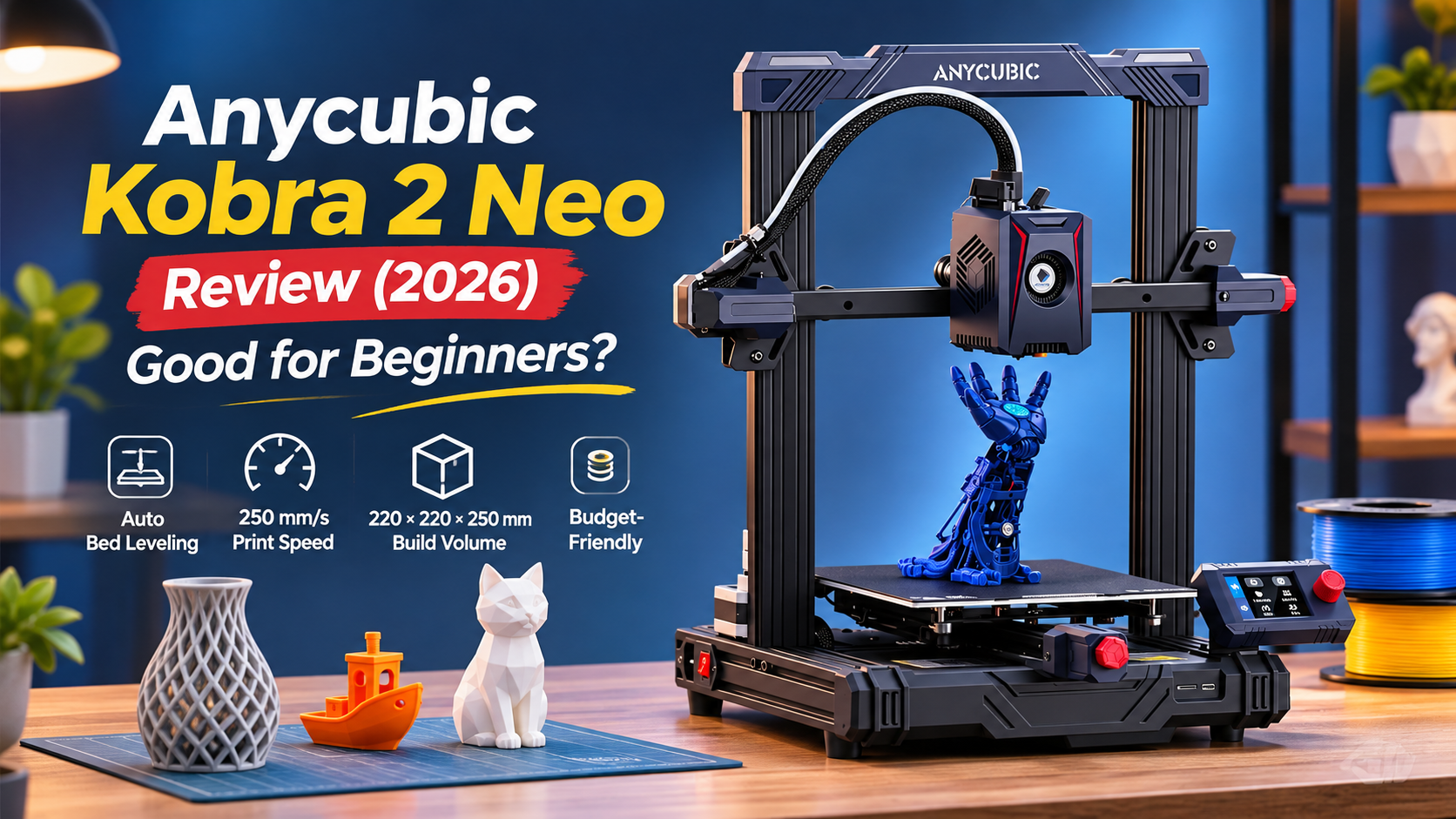
The Anycubic Kobra 2 Neo is a good budget 3D printer for beginners who want to learn, experiment, and create useful objects at home. Its automatic bed leveling, 250mm/s maximum printing speed, and affordable price make it attractive. However, some buyers report inconsistent leveling, noise, and frustrating warranty support.
This Anycubic Kobra 2 Neo review is based on official product specifications and an analysis of verified Amazon buyer reviews. It covers printing quality, setup, long-term reliability, software limitations, and whether the printer is worth buying in India.
Table of Contents
- Quick Verdict
- Pros and Cons
- Key Specifications
- Is the Anycubic Kobra 2 Neo Good for Beginners?
- Printing Quality and Speed
- Automatic Leveling and Bed Adhesion
- Software and Everyday Use
- Reliability and Warranty Support
- Price and Value for Money
- Anycubic Kobra 2 Neo FAQs
- Final Verdict
Quick Verdict
| Overall Rating | 7.5/10 |
| Amazon Rating | 4.2/5 from 614 global ratings |
| Best for | Beginners, students, DIY hobbyists |
| Not ideal for | Buyers needing dependable Indian warranty support or completely trouble-free operation |
| Biggest strength | Good printing capability at an affordable price |
| Main concerns | Inconsistent leveling reports, noise, sensor failures and support difficulties |
| Listed Price | Around ₹14,402 |
Summary: The Kobra 2 Neo offers impressive value as an entry-level printer. Many buyers find it easy to set up and capable of producing good prints, but some owners need to spend time adjusting settings or resolving mechanical issues.
Pros and Cons
| Pros | Cons |
|---|---|
| Several buyers praise print quality | Some buyers report inconsistent automatic leveling |
| Easy assembly for many beginners | Noticeable operating noise reported |
| LeviQ 2.0 automatic leveling with smart Z-offset | One Indian buyer reported unresolved warranty support |
| Maximum advertised speed of 250mm/s | High-speed printing may require additional tuning |
| Good value for money according to multiple buyers | Some software and slicer compatibility complaints |
| Integrated extruder and strong cooling system | Isolated reports of sensor and hardware failures |
| Useful build volume for hobby projects | Small control screen |
| One-year warranty advertised on the listing | Warranty claim experience may vary |
Key Specifications
| Feature | Details |
|---|---|
| Model | Anycubic Kobra 2 Neo |
| Printing technology | FDM |
| Build volume | Approximately 220 × 220 × 250mm |
| Maximum print speed | 250mm/s |
| Recommended print speed | 150mm/s |
| Bed leveling | LeviQ 2.0 automatic leveling |
| Z-offset | Smart Z-offset adjustment |
| Extruder | Integrated extrusion system |
| Cooling | Advertised 7,000 RPM cooling |
| Connectivity | USB; card-based printing reported by buyers |
| Listed item weight | 6kg |
| Warranty | One year advertised |
| Price | Around ₹14,402 at the time of writing (prices change) |
Is the Anycubic Kobra 2 Neo Good for Beginners?
For someone purchasing their first 3D printer, the Kobra 2 Neo has two appealing qualities: it is relatively affordable, and many buyers describe the setup process as straightforward.
Several verified customers say they were able to assemble the machine and begin printing without extensive experience.
A December 2024 buyer reported completing assembly and starting a first project in less than an hour. Another customer said the printer was ready to begin printing within approximately 20 minutes of opening the box.
These are individual experiences, not guaranteed setup times, but they suggest that the machine is approachable for beginners.
What makes setup easier?
The Kobra 2 Neo uses LeviQ 2.0 automatic leveling with smart Z-offset adjustment.
In simple terms, this system helps position the printing nozzle correctly above the printing surface.
Without accurate nozzle positioning, the first layer of plastic may fail to stick, causing the print to detach or become uneven.
Automatic leveling reduces some of the manual work involved in getting started.
Several customers appreciate this feature, including buyers who previously used printers requiring frequent manual bed adjustments.
One owner described needing to relevel an older printer after just a few prints, while the Kobra 2 Neo made the process easier.
Is it completely plug-and-play?
Not for everyone.
Although many buyers praise the installation experience, others describe having to learn nozzle temperatures, bed settings, and software configuration before getting satisfactory results.
One customer found the printed manual incomplete and needed additional guidance to understand cable connections and display symbols.
Another experienced problems getting filament to feed correctly during an initial print.
This means beginners should expect some learning, even if the hardware assembly is relatively simple.
A good starting approach is to use the supplied sample print files, understand the leveling procedure, and learn how to prepare models before experimenting with complex projects.
Printing Quality and Speed
Printing performance is one of the main reasons customers appreciate the Kobra 2 Neo.
Several verified buyers describe the machine as producing good-looking objects, especially considering its price.
Customers have reported making figures, decorative models, small components, and practical items.
One buyer who previously owned an older Anycubic printer specifically appreciated the improvement in printing speed while maintaining satisfactory quality.
However, the available feedback also shows that printing results can vary depending on machine adjustment, material, and software settings.
What does 250mm/s really mean?
Anycubic advertises a maximum printing speed of 250mm/s, but recommends 150mm/s for a balance between speed and precision.
That difference is important.
| Printing speed | What it means |
|---|---|
| 150mm/s | Manufacturer’s recommended printing speed |
| 250mm/s | Maximum advertised printing speed |
The higher number does not mean the printer operates at that speed throughout every project.
Prints with detailed shapes or frequent direction changes may require slower settings.
One customer reported successful printing at 150mm/s, while another preferred reducing the speed to improve the appearance of finished objects.
A more technically experienced owner found that reaching consistently good high-speed results required substantial software tuning and firmware modifications.
This suggests that 150mm/s is a more useful starting point than the headline 250mm/s figure for buyers who care about consistent quality.
What about detailed models?
Customer feedback is generally encouraging for ordinary decorative models and hobby projects.
However, one buyer reported difficulty producing very small details such as fine measurement markings and miniature screw threads.
That is worth considering if your main goal is making precise mechanical components.
A specification describing high printing speed does not establish dimensional accuracy for every object.
If your project needs extremely fine details or tight mechanical tolerances, be prepared to experiment with slicer settings and measure finished parts.
Automatic Leveling and Bed Adhesion
Automatic leveling is one of the Kobra 2 Neo’s most useful features, but customer experiences are not completely consistent.
Some buyers report that the system works well and helps them start printing quickly.
Others have encountered incorrect nozzle distances, unreliable first layers, or problems that required mechanical adjustment.
Why does the first layer matter?
The first layer forms the foundation of the entire object.
If the material does not stick correctly, later layers may move, curl, or detach.
The Kobra 2 Neo’s automatic leveling system is intended to reduce this problem, but it cannot compensate for every possible cause of poor adhesion.
For example, the nozzle position, printing temperature, cleanliness of the build surface, and condition of the filament can affect the result.
One buyer had difficulty with adhesion despite changing several settings. Another reported that prints adhered extremely well to the PEI build surface.
These conflicting experiences suggest that automatic leveling is helpful but does not guarantee consistent first-layer results.
Can leveling problems be fixed?
The appropriate solution depends on the cause.
One owner discovered that a loose wheel contributed to mechanical instability. Tightening and adjusting the machine improved its operation.
Other buyers reported better results after checking leveling settings and adjusting the nozzle’s starting height.
Before attempting modifications, follow the official assembly and adjustment instructions.
If the machine repeatedly fails to level or appears mechanically damaged, contact the seller or manufacturer rather than forcing the printing head into position.
Is the printing bed easy to use?
Several buyers appreciate the PEI-style build surface and describe good adhesion.
One customer particularly liked not needing additional glue or tape for ordinary printing.
However, strong adhesion can sometimes make finished models harder to remove.
Allow the surface to cool before trying to remove completed prints, and use appropriate removal methods to avoid damaging the build plate.
Software and Everyday Use
The software experience is another area where customer feedback varies.
For basic use, several owners find the controls straightforward.
However, users wanting more advanced control have reported limitations with the supplied slicing software and printer interface.
Do you need a computer?
One verified Indian buyer reported that the machine worked with a computer but did not offer the mobile-phone-based operation they expected.
This is important if you plan to manage printing entirely through your smartphone.
The product listing identifies laptop compatibility and USB connectivity.
Before purchasing, make sure you have a compatible computer or an appropriate way to prepare print files.
What is slicing software?
A 3D model cannot simply be sent to the printer like an ordinary photograph.
It needs to be processed by slicing software, which divides the design into printable layers and creates the instructions used by the machine.
Some customers find the software easy to learn.
Others report difficulty with software profiles, advanced settings, or compatibility between slicing programs.
One experienced customer improved the printer’s performance after using Orca Slicer and installing Klipper firmware.
However, this required additional technical knowledge and configuration. It was not an out-of-box feature improvement.
For beginners, the sensible approach is to start with software and profiles intended for the exact printer model before exploring modifications.
Is the control screen convenient?
Several customers describe the interface as understandable, but some feel the screen is small.
A customer also noted that the interface could be slow to navigate.
For basic tasks such as starting prints or adjusting settings, the controls appear usable.
If you expect a large touchscreen or advanced on-device controls, the Kobra 2 Neo may feel relatively basic.
Is it noisy?
Operating noise is mentioned by multiple customers, although their experiences differ.
Some describe the printer as reasonably quiet or moderately noisy, while others find the fan and movement noise distracting.
One buyer recommended placing the printer in a separate room.
Another reported being able to hear it from nearby rooms but did not consider the sound particularly disruptive.
This makes placement important.
For a home office, workshop, or dedicated hobby room, the noise may be acceptable. For a bedroom or quiet study area, especially during long prints, it may become inconvenient.
Reliability and Warranty Support
The Kobra 2 Neo has a positive overall Amazon rating, but reliability feedback is more mixed.
The listing shows 4.2/5 stars from 614 global ratings.
Many customers report successful printing and satisfactory performance.
However, a smaller group describes component failures, printing problems, or difficulties getting support.
A significant Indian after-sales complaint
A verified Indian buyer reviewed the printer in March 2026 and described a sensor failing within approximately three months.
The customer contacted the Indian distributor and was directed to Anycubic support.
According to the review, the manufacturer did not respond despite repeated attempts over more than six months.
The distributor reportedly required confirmation from Anycubic before approving a replacement.
Eventually, the customer purchased a replacement sensor independently.
This is one reported experience, not proof that every warranty claim will fail. However, it matters because the listing advertises a one-year warranty.
If your budget is limited and you depend on warranty coverage, support arrangements should be considered alongside the printer’s features.
Are mechanical problems common?
Some international customers report issues such as loose wheels, temperature errors, inconsistent bed leveling, and unsuccessful prints.
One owner received a non-working machine and eventually obtained replacement components after a lengthy support process.
Another experienced unreliable adhesion and improved the printer after identifying a mechanical adjustment problem.
These reports show possible ownership difficulties, but they do not establish that every printer is affected.
Other owners describe lengthy periods of successful use, including regular printing over many months.
How durable is it over time?
There are encouraging long-term ownership reports.
One customer described printing frequently for a small workshop, while another remained satisfied after using substantial amounts of filament.
A September 2026 reviewer reported hundreds of hours of printing over approximately two years, with only a few nozzle replacements and some manageable clogging.
At the same time, another user reported growing problems after extended use.
The evidence suggests the printer can be durable in the right circumstances, but its performance may depend on maintenance, mechanical adjustment, and how heavily it is used.
For a hobbyist comfortable with occasional troubleshooting, that trade-off may be acceptable.
For professional work where delays affect customers, stronger local service support may be more important than the low purchase price.
Price and Value for Money
At around ₹14,402, the Anycubic Kobra 2 Neo is competitively positioned for someone beginning 3D printing.
The combination of automatic leveling, a 250mm/s advertised maximum speed, and positive feedback about print quality makes it an appealing budget option.
Its value becomes less straightforward if you need frequent technical support or want to avoid learning mechanical adjustments.
What are the running costs?
Filament is the main recurring material expense.
The supplied Amazon listing shows a 3IDEA PLA+ filament product priced at ₹649, although the exact package quantity should be confirmed before using that figure to calculate printing costs.
Other potential ownership expenses include replacement nozzles, maintenance accessories, and replacement components.
Some customers have reported clogged nozzles or sensor failures, so having access to spare parts may become important over time.
Failed prints also consume filament, particularly while learning how to adjust temperatures and bed adhesion.
Is ₹14,402 a good deal?
For a beginner who wants to print models, learn the software, and develop practical skills, the price is reasonable considering the available features.
The customer feedback provides encouraging evidence of good print quality and accessible setup.
However, the purchasing decision should also account for the time you may spend troubleshooting and the quality of warranty support available in India.
Should you wait for an Amazon sale?
The supplied listing shows an MRP of ₹23,245 and a selling price of ₹14,402.
Rather than focusing only on the advertised discount, compare the latest selling price with other offers for the same model.
Check seller reputation, warranty handling, replacement eligibility, and included accessories before ordering.
Anycubic Kobra 2 Neo FAQs
1. Is the Anycubic Kobra 2 Neo good for beginners?
Yes. Several verified customers describe it as easy to assemble and suitable for first-time users. However, beginners should expect to learn printing temperatures, slicing software, and basic machine adjustments.
2. Is the Anycubic Kobra 2 Neo worth buying in 2026?
It is worth considering if you want an affordable hobby printer and are comfortable with occasional troubleshooting. Its print quality and automatic leveling are attractive, but Indian warranty support deserves careful consideration.
3. What is the maximum printing speed of the Kobra 2 Neo?
The manufacturer advertises a maximum speed of 250mm/s and recommends 150mm/s. Actual useful speed depends on the model, printing settings, and desired finish.
4. Does the Anycubic Kobra 2 Neo have automatic bed leveling?
Yes. It features LeviQ 2.0 automatic leveling with smart Z-offset adjustment. Some buyers praise the system, while others have experienced inconsistent nozzle positioning.
5. Can the Kobra 2 Neo print PETG?
Some verified buyers report successful PETG printing, including one customer using it for engineering-related parts. However, another experienced difficulties with stringing and print quality, so settings and filament choice matter.
6. Is the Anycubic Kobra 2 Neo noisy?
Customer experiences vary. Some buyers describe moderate noise, while others find the printer loud enough to prefer using it in another room.
7. Can you use the Kobra 2 Neo with a mobile phone?
The supplied product listing identifies laptop compatibility, and one Indian buyer reported that computer-based operation was necessary for their workflow. Mobile-only printing should not be assumed to be supported.
8. What is the warranty on the Anycubic Kobra 2 Neo in India?
The Amazon listing advertises a one-year warranty. However, one verified Indian customer reported significant difficulties obtaining support for a failed sensor, so confirm the claim process with the seller.
9. What is the printing size of the Anycubic Kobra 2 Neo?
The advertised build area is approximately 220 × 220 × 250mm. Larger designs may need to be divided into smaller components.
10. What are the main disadvantages of the Kobra 2 Neo?
The main concerns are occasional leveling inconsistencies, noticeable noise, software limitations, and some reported hardware failures. After-sales support may also be difficult for certain Indian customers.
Final Verdict: Should You Buy Anycubic Kobra 2 Neo?
The Anycubic Kobra 2 Neo offers a useful entry point into 3D printing without requiring a particularly large investment. Its automatic leveling, accessible setup, and good reported print quality make it appealing for beginners and hobbyists.
The printer’s strongest advantage is its combination of features and affordability. However, the advertised maximum speed should not be confused with consistently achievable printing performance.
Customer feedback suggests that successful ownership may require occasional adjustments, maintenance, and software learning.
The reported warranty difficulties in India also deserve attention, especially if you are not comfortable repairing or troubleshooting equipment.
At around ₹14,402, it offers reasonable value for learning and creative projects, provided your expectations are realistic.
Buy it if: You want an affordable beginner 3D printer and are willing to learn basic troubleshooting.
Skip it if: You need dependable commercial operation, very quiet printing, or consistently responsive local warranty support.
Compare before you choose
For another entry-level option, see our Creality Ender-3 V3 SE review. For a different feature set, compare the Elegoo Neptune 4 Pro.
Official resources
Consult the official Anycubic support wiki and Anycubic firmware and software downloads. Select the exact Kobra 2 Neo model before using any files. These resources help you check current documentation; regional bundles and warranty terms may differ.