Research-based review. Product details and customer feedback reflect the source listing reviewed for this article; prices and stock may change. As an Amazon Associate, we earn from qualifying purchases. Disclosure.
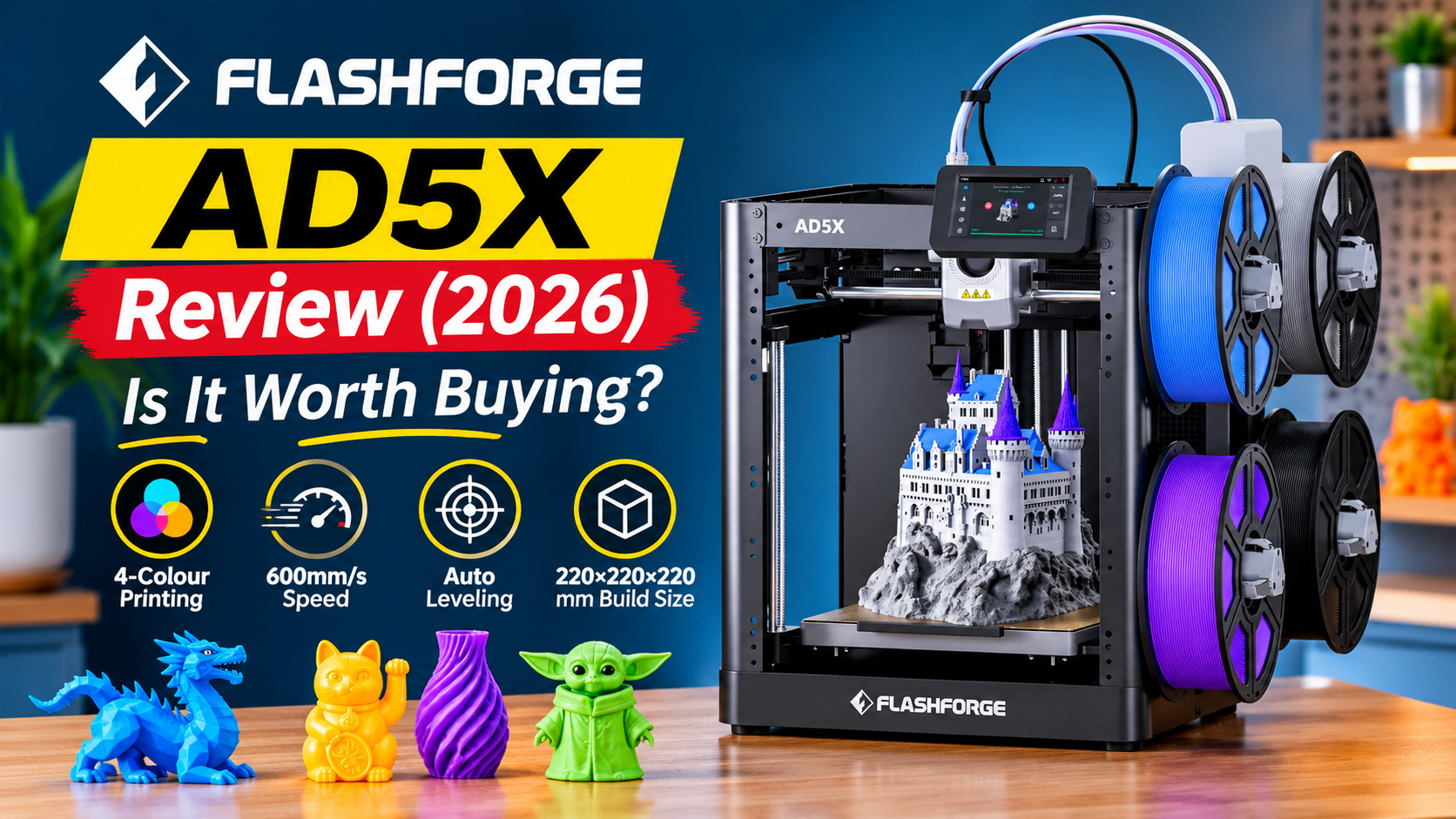
The FLASHFORGE AD5X is an interesting choice if you want to create colourful 3D models without spending too much on a multi-colour printer. Its four-colour printing, automatic bed levelling, and impressive print quality make it attractive for hobbyists and creative users. However, several buyers have reported filament feeding problems, software issues, and unexpected breakdowns.
This FLASHFORGE AD5X review is based on official product specifications and an analysis of verified Amazon customer reviews. It explains what works well, what can go wrong, and whether the printer makes sense for Indian buyers.
Table of Contents
- Quick Verdict
- Pros and Cons
- Key Specifications
- Multi-Colour Printing and Print Quality
- Printing Speed and Build Volume
- Is the FLASHFORGE AD5X Good for Beginners?
- Reliability and Common Problems
- Software and Connectivity
- Maintenance and Running Costs
- Value for Money in India
- FLASHFORGE AD5X FAQs
- Final Verdict
Quick Verdict
| Category | Verdict |
|---|---|
| Overall Rating | 7/10 |
| Best for | Creative hobbyists, 3D printing learners, users wanting affordable four-colour printing |
| Not ideal for | Buyers needing dependable daily production or completely trouble-free operation |
| Biggest strength | Detailed, attractive multi-colour prints at a relatively accessible price |
| Biggest concern | Mixed long-term reliability, filament feeding problems, and software limitations |
| Amazon customer rating | 4.0/5 from 148 global ratings |
Summary: The FLASHFORGE AD5X produces impressive prints when everything works properly. However, reliability concerns make it a better fit for patient hobbyists than users who cannot afford printing interruptions.
Pros and Cons
Pros
- Prints models using up to four filament colours.
- Produces detailed, attractive results according to several buyers.
- Automatic bed levelling reduces manual adjustments.
- Many beginners find the initial setup straightforward.
- All-metal CoreXY construction feels sturdy to some owners.
- Fast single-colour printing receives positive feedback.
- Supports PLA, PETG, ABS, and TPU according to the listing.
- Competitive pricing for a four-colour printer.
Cons
- Multiple buyers experienced filament jams, sensor faults, or feeding failures.
- Some printers developed serious problems within days or months.
- Multi-colour printing creates considerable filament waste.
- Software updates and computer connectivity have frustrated some users.
- No built-in camera according to customer reports.
- Some buyers found the printer noisy.
- After-sales support experiences are inconsistent.
- The advertised maximum printing speed does not represent every real-world job.
Key Specifications
| Feature | Details |
|---|---|
| Brand | Flashforge |
| Model | AD5X |
| Printing technology | FDM (Fused Deposition Modelling) |
| Printing system | All-metal CoreXY |
| Number of colours | Up to 4 |
| Filament system | Intelligent Filament System (IFS) |
| Build volume | 220 × 220 × 220 mm |
| Maximum advertised speed | 600 mm/s |
| Maximum nozzle temperature | 300°C |
| Supported materials | PLA, ABS, PETG, TPU and more |
| Connectivity | Ethernet, USB, Wi-Fi (listed) |
| Operating system compatibility | Windows, macOS, Linux |
| Product dimensions | 44.7 × 40.13 × 36.32 cm |
| Weight | 14 kg |
| Listed voltage | 110 V; Indian mains compatibility must be verified |
| Warranty period | Not clearly specified in the supplied listing |
| Price | Around ₹37,045 in related Amazon offers; the exact listing was unavailable when captured |
Multi-Colour Printing and Print Quality
Multi-colour printing is the main reason to consider the FLASHFORGE AD5X.
Most basic FDM printers use one colour during a printing job unless you manually change filament. The AD5X uses its Intelligent Filament System, or IFS, to handle up to four different filament colours.
This is useful for making decorative objects, miniature buildings, personalised gifts, educational models, and colourful display pieces.
How good is the actual print quality?
Print quality is one of the printer’s strongest points.
Several verified buyers describe their completed models as detailed, clean, and impressive.
One Canadian buyer reported comparing an AD5X print with a model produced by a Bambu Lab X1-Carbon at work. That buyer considered the results comparable, although this is one person’s assessment rather than a controlled comparison.
Another owner reported more than 650 hours of printing without problems.
These experiences suggest that the AD5X can produce excellent results when properly configured and operating normally.
However, not every buyer enjoyed the same consistency. Others encountered poor bed adhesion, interrupted extrusion, and unfinished prints.
What this means for you: The printer has good print-quality potential, but producing attractive models consistently may require attention to filament condition, software settings, and occasional troubleshooting.
The hidden cost of changing colours
The AD5X uses one print head for multiple colours.
Before switching colours, it must clear the previous filament from the nozzle to avoid unwanted colour mixing.
This discarded plastic is called purge waste.
Some owners found the amount of wasted filament frustrating, especially on models requiring frequent colour changes.
One buyer also complained that settings intended to reduce purge waste did not behave as expected in their software configuration.
For a simple model using one colour, waste may be relatively limited. For a detailed design that changes colours many times, material consumption can increase significantly.
If you plan to sell small multi-colour objects, consider the cost of both the finished print and the discarded filament.
Printing Speed and Build Volume
Flashforge advertises a maximum printing speed of 600 mm/s.
That sounds impressive, particularly if you are upgrading from a much slower entry-level printer.
However, maximum speed is not the same as the speed you will achieve on every project.
Actual printing time depends on model complexity, filament type, quality settings, and the number of colour changes.
Is the FLASHFORGE AD5X really fast?
Customer feedback suggests that single-colour printing can feel fast.
An owner upgrading from an Ender 3 V2 specifically appreciated the speed of monochrome prints.
However, several reviews highlight how colour switching increases total printing time.
Another owner complained that the slicer did not follow certain requested speed settings.
A Canadian buyer also reported waiting approximately 13–15 minutes for the printer’s preparation and calibration process before printing started.
That timing is an individual experience, not a confirmed standard start-up duration.
The practical lesson is simple: 600 mm/s is a maximum advertised capability, not a promise that every model will print at that speed.
Is the printing area large enough?
The AD5X has a build volume of 220 × 220 × 220 mm.
This means it can produce an object measuring up to approximately 22 cm along each of the three printing axes, subject to the model’s shape and printing requirements.
That space is suitable for many everyday hobby projects, including:
- Miniature architectural models and decorative pieces.
- Desk organisers and personalised gifts.
- Small mechanical components and prototypes.
- Educational models for schools and students.
However, anyone planning to print large helmets, oversized decorative pieces, or big mechanical parts may need to divide projects into smaller sections.
The usable build volume is reasonable for hobby use but not especially large.
Is the FLASHFORGE AD5X Good for Beginners?
The answer is yes, with some important conditions.
Several first-time 3D printer owners found the AD5X relatively easy to assemble and start using.
One buyer reported completing the setup in approximately 20 minutes. Another described assembly taking about 10 minutes.
These experiences suggest that the initial installation is manageable, although setup times vary.
Automatic levelling makes the first steps easier
Bed levelling is an important part of 3D printing.
If the printing surface is not correctly positioned relative to the nozzle, the first layer may not stick properly.
The FLASHFORGE AD5X includes automatic bed levelling, reducing the need for manual adjustments.
This is especially helpful for beginners who are still learning how 3D printing works.
However, automatic levelling does not guarantee perfect adhesion. Some buyers still reported prints failing to stick to the build plate.
What arrives in the box?
The supplied product listing includes:
- FLASHFORGE AD5X printer.
- Four-colour IFS module and connection cable.
- Four spool holders and a four-in-one guide tube.
- Four small filament samples of 10 g each.
- Display screen and power cord.
- Quick-start guide and after-sales service card.
- Basic tools, including Allen wrenches, pliers, a screwdriver, and an unclogging pin.
- Glue, grease, cable clips, and mounting hardware.
The included filament samples total just 40 g.
That is useful for initial experimentation but not enough for substantial ongoing printing.
You should expect to purchase additional filament early.
The learning curve does not disappear
Even with automatic features, you must learn how to prepare a model for printing.
This process normally involves slicing: software converts a 3D design into instructions that the printer can follow.
One beginner described the printer as easy to start using but said learning 3D printing and design still required considerable effort.
Another enjoyed the printer initially but became frustrated when repeated error messages appeared after several successful prints.
Therefore, the AD5X can suit a motivated beginner who enjoys learning and solving technical problems.
It is less suitable for someone expecting a completely maintenance-free appliance.
Reliability and Common Problems
Reliability is the most important concern in this review.
The AD5X has a 4.0/5 Amazon rating from 148 global ratings. The supplied rating breakdown shows 65% five-star ratings and 19% one-star ratings.
This suggests many satisfied buyers, but also a meaningful group reporting serious dissatisfaction.
Importantly, the complaints are not limited to minor inconveniences.
1. Filament feeding and sensor failures
Several buyers describe problems involving the IFS module, filament paths, sensors, or extrusion system.
One Canadian owner purchased the model twice and reported similar sensor and feeder-tube problems with both units.
Another buyer experienced failures across multiple feeder ports almost immediately and decided to return the printer.
A different owner reported that the IFS unit failed after several months. Although the part was replaced under warranty, error messages returned shortly afterwards.
These reports matter because the automatic filament system is one of the AD5X’s main selling points.
When it fails, multi-colour printing can become difficult or impossible.
2. Problems appearing after successful early prints
Some buyers were initially delighted with their machines before their experiences changed.
One owner reported repeated errors after approximately five prints.
Another reported that the printer stopped working after only six prints, around 15 days after delivery.
Others described failures after several months, while one October 2026 review complained about repeated breakdowns and repair requirements.
These are individual reports, not an established failure rate.
Nevertheless, the pattern suggests that a successful demonstration print is not enough to judge long-term reliability.
3. Print bed and mechanical issues
Some owners also reported mechanical problems.
Examples include the build plate failing to move correctly, filament failing to stick, and spools unwinding or becoming tangled.
One buyer complained that the display screen rattled and occasionally became loose.
Another found the printer noticeably noisy.
These concerns are less consistently reported than feeding and software problems, but they can still affect everyday ownership.
4. Not every printer has these problems
It would be unfair to suggest that all AD5X units are unreliable.
One buyer reported over 650 printing hours without complaints.
Another described more than 400 hours of use without mechanical or filament-changing failures.
A separate owner reported three months of operation without major problems.
So the evidence is mixed: some buyers enjoy hundreds of hours of printing, while others encounter serious faults quite early.
For someone purchasing the printer for occasional creative projects, this uncertainty may be acceptable.
For a business that depends on completing customer orders on time, it is a bigger concern.
Software and Connectivity
The printer’s software experience is another area where buyer opinions differ.
The listing states compatibility with Windows, macOS, and Linux. It also lists Ethernet, USB, and Wi-Fi connectivity.
However, a listed connection method does not automatically mean that every computer, application, or firmware version will work smoothly.
Problems connecting to computers and apps
Several buyers reported trouble connecting their printers to computers or mobile monitoring applications.
One owner spent more than two weeks seeking help with app registration and slicer connectivity.
Another reported that a firmware update disrupted connections to a laptop and phone app.
An Apple user also described compatibility difficulties involving Orca Slicer and Flashforge software after an update.
A different buyer complained that certain advanced slicer settings, including purge controls, did not work as expected.
These reports do not establish that every software version has the same problems.
They do show that software compatibility deserves attention before purchasing, especially if you use a Mac or depend on remote monitoring.
Check the exact connection method
Although the specifications list USB, one buyer reported being unable to connect directly using a USB cable.
USB support may refer to a different function rather than standard computer-to-printer communication.
Confirm the connection methods supported by the current model and firmware before relying on a particular workflow.
Similarly, buyers should not assume that a camera is included.
Reviews indicate that the standard machine does not have a built-in camera, although one buyer mentioned an optional camera.
Maintenance and Running Costs
The AD5X is not a one-time purchase with zero continuing expenses.
You will need filament, cleaning supplies, and potentially replacement components.
Filament consumption
The printer supports PLA, PETG, ABS, and TPU according to its product description.
For most beginners, starting with a familiar filament type such as PLA may simplify learning.
One buyer warned that lower-quality filament contributed to serious clogging problems.
Another required a replacement extruder after a blockage, according to the review title.
These experiences make filament quality an important consideration.
Because multi-colour prints also create purge waste, the amount of filament consumed can be greater than the weight of the finished object.
Cleaning and routine checks
Owners should follow the manufacturer’s maintenance instructions and pay attention to:
- Filament feeding and spool movement.
- Nozzle blockages and signs of inconsistent extrusion.
- Build plate cleanliness and adhesion.
- Unexpected error messages.
- Software compatibility before changing firmware.
A few basic precautions may reduce avoidable interruptions, but they cannot guarantee protection against defective hardware.
Spare parts and warranty
One buyer noted that spare replacement components were not supplied in the box.
Customer service experiences were mixed. Some owners received helpful assistance or replacement parts, while others reported slow troubleshooting or difficult returns.
The exact warranty duration and India-specific service arrangements are not clearly stated in the supplied product information.
Before ordering, confirm the warranty, replacement-parts availability, and authorised support options for your location.
Value for Money in India
The supplied Amazon material displayed related FLASHFORGE AD5X offers around ₹37,045, although the exact product listing itself was marked unavailable.
At that approximate price, four-colour capability and automatic levelling are attractive features.
For comparison, the advertised build volume of 220 × 220 × 220 mm works out to approximately 10.65 litres of rectangular build space.
At ₹37,045, that is roughly ₹3,480 per litre of build volume.
This is only a rough comparison metric. It does not measure print quality, reliability, or usable space for every shape.
Important voltage consideration for Indian buyers
The technical details specify 110 V.
India generally uses approximately 230 V mains electricity.
One overseas reviewer mentioned a voltage-selection switch, but that individual observation does not confirm the voltage configuration of every unit sold in India.
Before connecting the printer to Indian mains, verify its actual input-voltage rating and any required configuration with the seller or manufacturer.
Do not assume that a 110 V-only unit can be plugged directly into a standard Indian wall socket.
Should you buy during an Amazon sale?
Checking offers during major Amazon sale periods may help you compare prices, but the lowest price should not be your only consideration.
Seller credibility, warranty coverage, return terms, and the availability of replacement components are especially important for a complex product like this.
A cheaper printer is not necessarily a better deal if repairs or interrupted projects become frequent.
For Indian buyers, the lack of reviews from India in the supplied listing also means local service and ownership experiences remain less clear.
Who should consider the FLASHFORGE AD5X?
The AD5X makes the most sense for creative hobbyists who want colourful prints and are willing to learn how the machine works.
It may also suit students, educational users, and makers experimenting with decorative objects or smaller prototypes.
However, buyers planning uninterrupted commercial production should look closely at reliability, service arrangements, and software compatibility.
Alternatives worth considering
Some buyers compared the AD5X with Bambu Lab printers, including the X1-Carbon, or discussed switching to that brand after experiencing problems.
Others came from Creality Ender models and appreciated the AD5X’s construction or print speed.
These comparisons are useful starting points, not proof that one printer is universally better.
If reliability or software flexibility matters more than purchase price, compare current support, material handling, and long-term owner experiences before deciding.
FLASHFORGE AD5X FAQs
1. Is the FLASHFORGE AD5X good for beginners?
Yes, it can be a good beginner printer for someone willing to learn. Several buyers found setup easy, but filament feeding errors and software problems may require troubleshooting.
2. Can the FLASHFORGE AD5X print four colours in one model?
Yes. Its Intelligent Filament System supports up to four filament colours during a printing job. However, switching colours takes additional time and produces discarded filament.
3. Does the FLASHFORGE AD5X really print at 600 mm/s?
600 mm/s is the advertised maximum speed, not a guaranteed speed for every print. Actual performance depends on settings, model complexity, and colour changes.
4. What is the build volume of the FLASHFORGE AD5X?
The build volume is 220 × 220 × 220 mm. This is suitable for many hobby projects, decorative objects, and small prototypes.
5. Does the FLASHFORGE AD5X support TPU and PETG?
Yes. The product description lists PLA, PETG, TPU, and ABS among supported materials. However, practical results depend on correct settings and filament handling.
6. Does the FLASHFORGE AD5X have a camera?
A built-in camera is not included according to customer reports. One reviewer mentioned an optional camera, so confirm accessory compatibility and availability separately.
7. What are the main disadvantages of the FLASHFORGE AD5X?
The main concerns are filament feeding failures, software connectivity problems, and inconsistent reliability. Multi-colour prints can also waste considerable filament.
8. Is the FLASHFORGE AD5X compatible with Indian electricity?
The supplied listing specifies 110 V, while Indian mains supply is generally around 230 V. Verify the exact unit’s rated input voltage with the seller before purchase or connection.
9. What is the warranty on the FLASHFORGE AD5X?
The warranty duration is not clearly mentioned in the supplied listing. Some buyers reported warranty replacements, but India-specific coverage and service terms should be confirmed before ordering.
10. Is the FLASHFORGE AD5X worth buying in 2026?
It can offer good value if your priority is four-colour printing and you are comfortable maintaining a 3D printer. Buyers who need predictable uptime or minimal troubleshooting should compare alternatives carefully.
Final Verdict: Should You Buy the FLASHFORGE AD5X?
The FLASHFORGE AD5X offers an appealing combination of multi-colour printing, automatic levelling, and detailed output at a competitive price.
Its strongest advantage is the quality of the models it can produce. Several buyers report attractive prints, straightforward setup, and satisfying performance over hundreds of hours.
However, the reliability complaints cannot be ignored. Feeding-system faults, unexpected breakdowns, and software compatibility issues have caused genuine frustration for some owners.
For Indian buyers, confirming voltage compatibility, warranty coverage, and local support is particularly important.
The AD5X is a reasonable option for patient hobbyists who enjoy learning and experimenting. It is a less comfortable choice for anyone whose work depends on reliable, uninterrupted printing.
Buy it if: You want affordable four-colour printing and are comfortable handling occasional technical issues.
Skip it if: You need highly dependable daily production or a nearly maintenance-free printer.
Compare before you choose
Compare the Elegoo Neptune 4 Pro if you are exploring a different feature set, or read the Anycubic Kobra 2 Neo review for a beginner-focused option.
Official resources
Use the official Flashforge AD5X overview and Flashforge AD5X FAQ to check current information and troubleshooting guidance. These resources help you check current documentation; regional bundles and warranty terms may differ.