Research-based review. Product details and customer feedback reflect the source listing reviewed for this article; prices and stock may change. As an Amazon Associate, we earn from qualifying purchases. Disclosure.
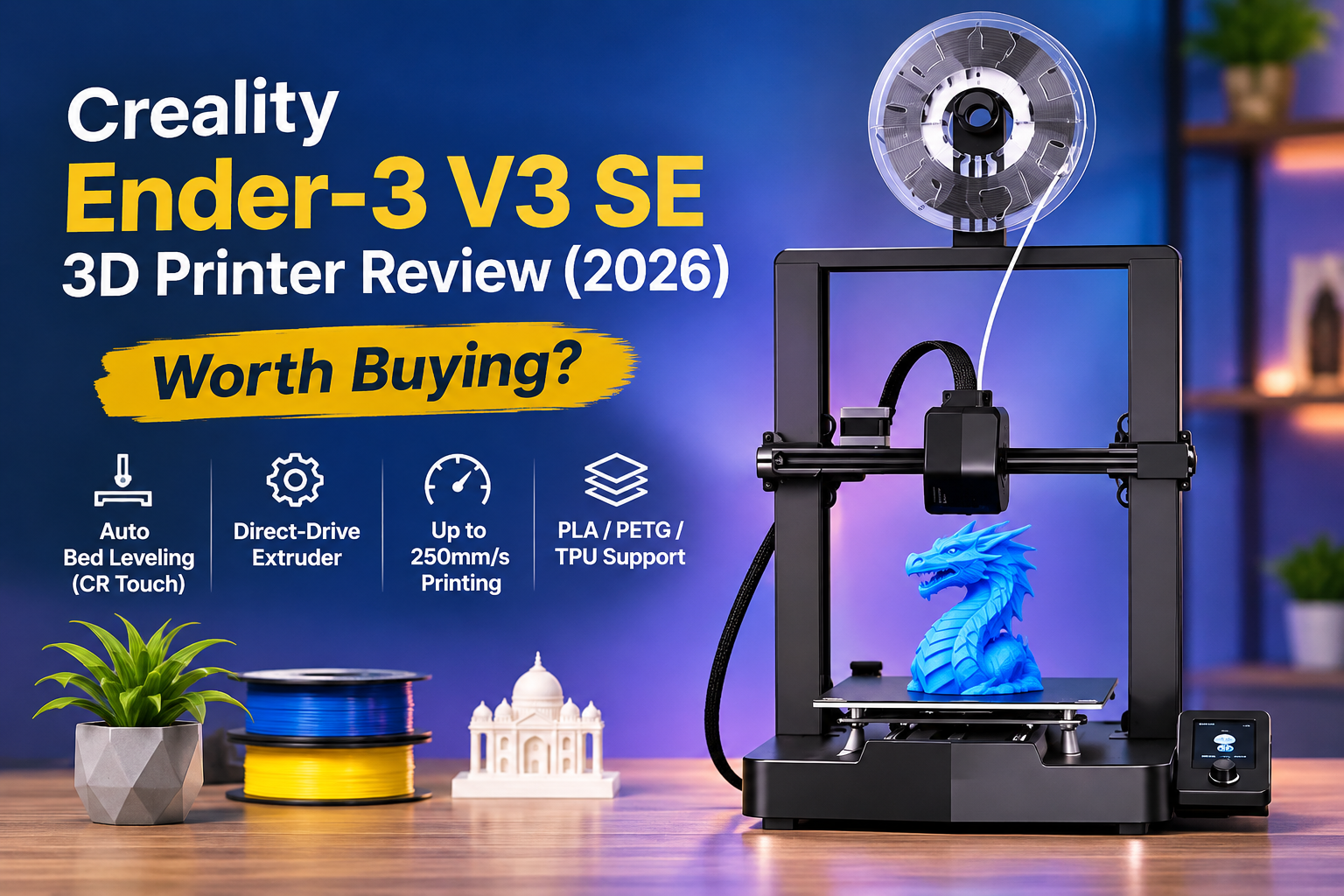
The Creality Ender-3 V3 SE is a promising entry-level 3D printer if you want to make models, prototypes, replacement parts, or creative projects at home. Its automatic bed leveling, direct-drive extruder, and 250mm/s maximum printing speed make it attractive for beginners. However, a few buyer complaints about reliability and after-sales support deserve attention.
This Creality Ender-3 V3 SE review is based on the listed product specifications and an analysis of 11 Amazon customer reviews, including verified purchases. The printer has a 4.1/5 rating from 29 global ratings on the supplied listing.
Table of Contents
- Quick Verdict
- Pros and Cons
- Key Specifications
- Is the Creality Ender-3 V3 SE Good for Beginners?
- Printing Quality and Speed
- Filament Compatibility and Limitations
- Build Quality and Daily Use
- Reliability and After-Sales Service
- Price and Value for Money
- Creality Ender-3 V3 SE FAQs
- Final Verdict
Quick Verdict
| Overall Rating | 8/10 |
| Best for | Beginners, hobbyists, students learning 3D printing |
| Not ideal for | Buyers needing guaranteed uptime, demanding professional users |
| Biggest strengths | Automatic leveling, good reported print quality, flexible filament support |
| Main concerns | Limited reliability evidence, inconsistent resume function, service complaints |
| Amazon Rating | 4.1/5 from 29 ratings |
| Listed Price | ₹18,399 |
Summary: The Ender-3 V3 SE offers a useful combination of beginner-friendly features and printing capability. It is worth considering for learning and hobby projects, provided you are comfortable with occasional troubleshooting.
Pros and Cons
Pros
- Automatic bed leveling reduces setup work.
- Several buyers praise print quality.
- Direct-drive extruder supports PLA, PETG and flexible TPU.
- Good beginner feedback.
- Dual Z-axis design improves mechanical stability.
- Automatic filament loading and unloading.
Cons
- Maximum 250mm/s speed is not guaranteed for every print.
- One buyer reported ABS bed-adhesion problems.
- Print-resume feature may not always work.
- Individual reports of defective and damaged units.
- After-sales service concerns appear in a review that names a different Ender model.
Key Specifications
| Feature | Details |
|---|---|
| Model | Creality Ender-3 V3 SE |
| Printing technology | FDM (filament-based 3D printing) |
| Build volume | 220 × 220 × 250 mm |
| Typical printing speed | 180mm/s |
| Maximum printing speed | 250mm/s |
| Printing accuracy | ±0.1mm (listed) |
| Extruder | Sprite direct-drive |
| Bed leveling | CR Touch automatic leveling with automatic Z-offset |
| Maximum nozzle temperature | 260°C |
| Maximum heated-bed temperature | 100°C |
| Supported filament | PLA, PETG, TPU 95A |
| Slicing software | Creality Print, Cura, Repetier-Host, Simplify3D |
| Price | Around ₹18,399 at the time of the supplied listing |
The listed build volume is large enough for many small models, organizers, prototypes, and decorative objects. Bigger designs may need to be divided into smaller sections and assembled later.
The manufacturer also lists a 32-bit silent mainboard and 2500mm/s² acceleration. However, no measured noise results or direct speed comparisons are available in the supplied customer reviews.
Is the Creality Ender-3 V3 SE Good for Beginners?
Yes. Beginner-friendly operation is one of the clearest strengths of the Ender-3 V3 SE.
Several buyers specifically describe it as a good choice for someone starting 3D printing. A September 2026 reviewer praised its print quality relative to its price, while buyers in June 2025 and July 2023 also recommended it for beginners.
Automatic leveling makes the first steps easier
With many basic 3D printers, getting the printing surface correctly aligned can be frustrating. If the nozzle is too close or too far from the bed, the first layer may fail.
The Ender-3 V3 SE uses two features to reduce this problem:
- CR Touch automatic leveling: Measures the printing surface to help compensate for unevenness.
- Automatic Z-offset: Uses a strain sensor to help set the nozzle’s starting height.
A buyer in October 2024 particularly appreciated the automatic leveling feature because it reduced setup effort.
This is useful if you are learning 3D printing for the first time. You can spend less time manually adjusting the bed and more time understanding how to prepare models.
However, automatic leveling does not guarantee that every print will succeed. Filament condition, nozzle settings, bed cleanliness, and model preparation still matter.
Filament loading is also simpler
The printer includes automatic filament loading and unloading controls.
You can select the extrude function to feed filament through the nozzle or retract it when you want to remove or change material.
This reduces some of the manual effort involved in switching filament. It is particularly useful if you regularly change colours or experiment with different materials.
Is assembly difficult?
One verified buyer reported that installation was easy.
The overall feedback suggests the printer is approachable for beginners, but the available reviews do not establish how long assembly takes.
You should still expect to learn the basics of slicing software, nozzle temperature, bed adhesion, and print preparation.
Printing Quality and Speed
Printing quality is a major reason to consider the Creality Ender-3 V3 SE.
Several customer reviews praise the output. Buyers describe the results as good or impressive, particularly for the price.
One verified buyer who had printed PLA composites and PETG reported impressive print quality. Another praised the printing results without describing major difficulties.
These comments are encouraging for hobby use and learning.
What does 250mm/s printing speed mean?
Creality advertises a maximum speed of 250mm/s, while its specification table gives a typical speed of 180mm/s.
The distinction matters.
| Speed figure | What it means |
|---|---|
| 180mm/s typical | Manufacturer’s listed normal printing speed |
| 250mm/s maximum | Highest advertised printing speed |
A maximum speed does not mean the printer moves at that speed during an entire project.
Actual printing time depends on factors such as object size, geometry, layer height, material, and the settings you choose.
There is no verified buyer evidence in the supplied reviews showing measured printing times at 250mm/s.
Therefore, this speed specification is useful when comparing printers, but it should not be treated as proof that every project will finish quickly.
How accurate are the printed objects?
The manufacturer specifies printing accuracy of ±0.1mm.
This suggests the printer is designed for relatively precise small objects. However, actual dimensional accuracy can depend on calibration, filament, settings, and object design.
The customer reviews praise overall print quality but do not provide measurements confirming the claimed accuracy.
For decorative models, educational projects, and hobby prototypes, the available feedback is encouraging. For parts requiring strict engineering tolerances, additional calibration and measurement may be necessary.
Filament Compatibility and Limitations
Material compatibility is another important advantage of the Ender-3 V3 SE.
The official specifications list three supported materials.
| Material | Typical use |
|---|---|
| PLA | Decorative models, learning, simple prototypes |
| PETG | Functional projects needing better toughness than ordinary PLA |
| TPU 95A | Flexible objects and components |
The Sprite direct-drive extruder feeds filament close to the nozzle rather than through a long feeding tube.
This design can make flexible filament handling easier, although the supplied reviews do not establish how consistently this specific printer handles TPU.
Does PETG print properly?
There is useful customer evidence for PETG.
One verified buyer said that PETG was easy to print and also reported success with multiple PLA composite materials.
That is a positive sign if you want to move beyond basic PLA projects.
However, this experience comes from one detailed review. It should not be treated as a guarantee for every PETG brand or printing configuration.
What about ABS filament?
This requires more caution.
The same buyer reported adhesion problems when printing ABS. In simple terms, the material was not sticking properly to the printing surface.
ABS is also not included in the manufacturer’s listed supported materials for this product.
That makes the Ender-3 V3 SE a less convincing choice if ABS is your main requirement.
If you mainly want PLA and PETG, the printer has more relevant evidence supporting its suitability. Buyers focused on ABS should look for a printer specifically intended for that material.
Build Quality and Daily Use
The Ender-3 V3 SE has a simple open-frame design with a moving printing bed and an overhead extruder assembly.
Its construction includes a rigid dual Z-axis system, which the manufacturer says reduces unwanted vertical movement.
It also has two 8mm steel linear shafts on the Y-axis to support steady bed motion.
These features are intended to improve stability during printing, although the supplied reviews do not contain controlled mechanical comparisons.
How much space does it need?
The product description lists machine dimensions of 349 × 364 × 490mm.
That means the printer itself occupies a fairly compact area, but you should allow additional room for the moving bed, cables, filament spool, and access during maintenance.
For a home workspace, a stable table or dedicated corner is preferable to a crowded shelf.
The product description lists a net weight of 7.12kg, while another marketplace specification field lists 5kg. Because the listing is inconsistent, the exact assembled weight should be confirmed before purchase.
Display and controls
Creality provides a knob-operated screen with an interface showing printing parameters and the leveling process.
This is convenient for checking basic machine information without relying entirely on a computer.
However, one customer said the controls lacked a back button for cancelling a command. This is a minor usability complaint rather than a broad pattern across reviews.
Does it resume printing after interruption?
One verified buyer specifically appreciated the resume-print function but said it sometimes failed.
This matters in India, particularly where power interruptions can affect longer prints.
The resume function may be helpful, but you should not assume it will always recover a project successfully.
For an important or time-consuming print, reliable electricity remains valuable.
Reliability and After-Sales Service
This is the biggest area of uncertainty.
The positive reviews suggest that many buyers are satisfied with the printing results, but the smaller number of negative reports raises questions worth considering.
Reports of damaged or non-working machines
A July 2023 reviewer said the printer would not turn on and that a replacement had been delayed.
Another verified buyer, in October 2025, reported receiving a unit with damage to the external body.
These are individual reports, not evidence of a widespread defect.
However, they show why checking the machine immediately after delivery is important.
Inspect the frame, bed, power components, cables, and display for visible damage. Follow the manufacturer’s setup instructions before attempting a first print, and keep packaging materials until you are satisfied with the unit.
What about customer service?
A particularly negative review describes a display problem after approximately four months, followed by a paid software repair of ₹1,770.
There is an important limitation: the reviewer explicitly identifies the printer as an Ender 3D Neo, not the Ender-3 V3 SE.
For that reason, the reported repair cannot reliably be attributed to this exact model.
It is still a reminder to verify warranty and repair support for the specific product and seller.
Is the warranty clearly stated?
The supplied listing does not clearly specify the manufacturer’s warranty duration for this exact model.
It does show a 10-day replacement policy at the time of capture, but that is different from a manufacturer’s warranty.
Before purchasing, confirm the warranty period, covered parts, required proof of purchase, and authorised service arrangements in your area.
Price and Value for Money
At the listed price of ₹18,399, the Creality Ender-3 V3 SE offers several features that make sense for first-time buyers.
Automatic leveling, a direct-drive extruder, and dual Z-axis support are more meaningful than a high speed number alone. They address common practical challenges related to setup, filament feeding, and mechanical stability.
Is ₹18,399 a reasonable price?
The value depends on how you plan to use it.
If you want to learn 3D printing, make models, or create occasional prototypes, the specification package and positive customer experiences make the price reasonable to consider.
For professional production where equipment downtime directly affects income, the limited reliability evidence makes the buying decision more demanding.
Remember the filament cost
The supplied Amazon listing also shows a 1kg PLA PRO+ filament product priced at ₹685.
As a simple illustration, if you used exactly 100g from a ₹685/kg spool, the material portion would cost approximately ₹68.50, excluding electricity, failed prints, and other expenses.
Actual material consumption varies significantly between models.
You may also need to budget for replacement nozzles, maintenance items, and additional filament colours over time.
Should you buy during an Amazon sale?
It is sensible to compare the latest price during major Amazon sale events rather than relying on the displayed percentage discount.
Also compare listings from different sellers for the same model, since price, replacement arrangements, and support may differ.
FAQs
1. Is the Creality Ender-3 V3 SE good for beginners?
Yes. Multiple customers recommend it for beginners, and its automatic leveling reduces manual setup work. You will still need to learn basic slicing software and printing settings.
2. Is the Ender-3 V3 SE worth buying in 2026?
It is worth considering if you mainly want to print PLA or PETG models and learn 3D printing. The listed ₹18,399 price is attractive for its features, but warranty and seller support deserve checking.
3. Can the Creality Ender-3 V3 SE print TPU?
Yes. The manufacturer’s specification lists TPU 95A as supported. Its direct-drive extruder is suitable in design for handling flexible filament, although the supplied reviews do not confirm long-term TPU performance.
4. Does the Ender-3 V3 SE support ABS?
ABS is not listed among the officially supported materials. One buyer also reported adhesion difficulties when trying ABS, so it should not be your first choice for ABS-focused projects.
5. What is the maximum printing size?
The build volume is 220 × 220 × 250mm. Objects larger than this may need to be printed in smaller parts and assembled.
6. Does the Ender-3 V3 SE need manual bed leveling?
It includes CR Touch automatic bed leveling and automatic Z-offset. These reduce the need for manual adjustments, although occasional checks and maintenance may still be necessary.
7. Can it resume printing after a power cut?
The printer has a resume-print function, but one verified buyer reported that it did not always work. It is better to treat the feature as helpful backup rather than guaranteed protection against interrupted prints.
8. What is the warranty on the Creality Ender-3 V3 SE in India?
The exact manufacturer’s warranty duration is not clearly stated in the supplied product listing. Confirm it with the seller before ordering, including the terms for electronic components and service.
9. Does the Creality Ender-3 V3 SE come with software?
The specifications list compatibility with Creality Print, Cura, Repetier-Host, and Simplify3D. The listing does not clearly establish which software, if any, is preinstalled or supplied in the package.
10. What are the main disadvantages of the Ender-3 V3 SE?
The main concerns are uncertain long-term reliability, occasional print-resume problems, and the need to verify service support. Buyers prioritising ABS printing or uninterrupted professional production may prefer a more specialised machine.
Final Verdict: Should You Buy Creality Ender-3 V3 SE?
The Creality Ender-3 V3 SE is a sensible option for people entering the world of 3D printing. Its automatic leveling, Sprite direct-drive extruder, and useful build volume make it suitable for learning, experimenting, and creating practical objects.
Positive customer feedback on print quality and ease of use supports its appeal. At the same time, the limited number of ratings and isolated reports of defective deliveries mean reliability cannot be taken for granted.
The printer makes the most sense when your priority is learning and hobby printing rather than continuous commercial production.
Buy it if: You want a reasonably priced beginner 3D printer for PLA, PETG, and creative projects.
Skip it if: You need dependable industrial-level operation, primarily print ABS, or require clearly documented local service support.
Compare before you choose
Compare our Anycubic Kobra 2 Neo review for another beginner-focused option. If you are considering a different Creality model and bundle, read the Ender 3 S1 Pro review.
Official resources
Check the official Creality Ender-3 V3 SE product information and Creality Ender-series support guides. These resources help you check current documentation; regional bundles and warranty terms may differ.